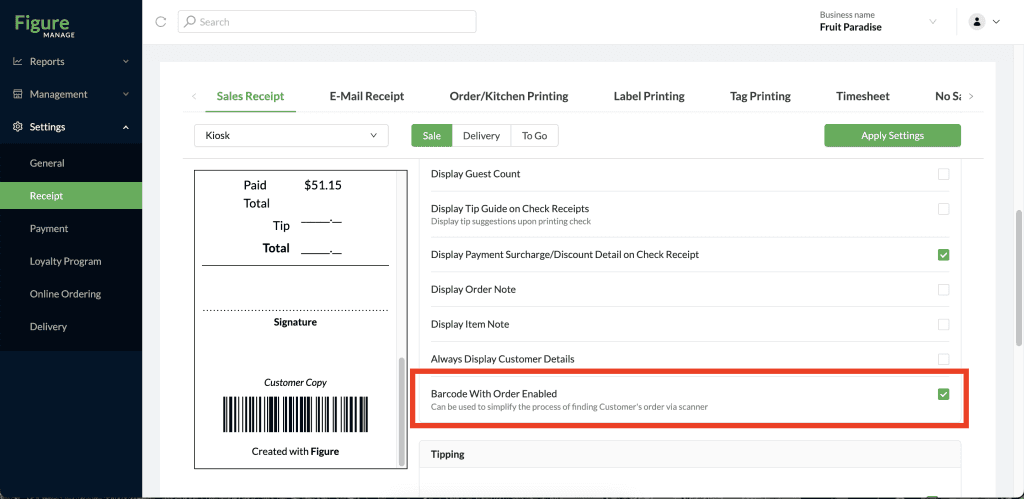
When a barcode is printed at the bottom of the sales receipt, it can be then scanned by the POS camera or a barcode scanner. The POS will load the order.
To enable the barcode being printed on the Sales Receipt follow the steps below:
[1] Go to Figure Manage and log in with your credentials
[2] Go to Settings > Receipt > Sales Receipt
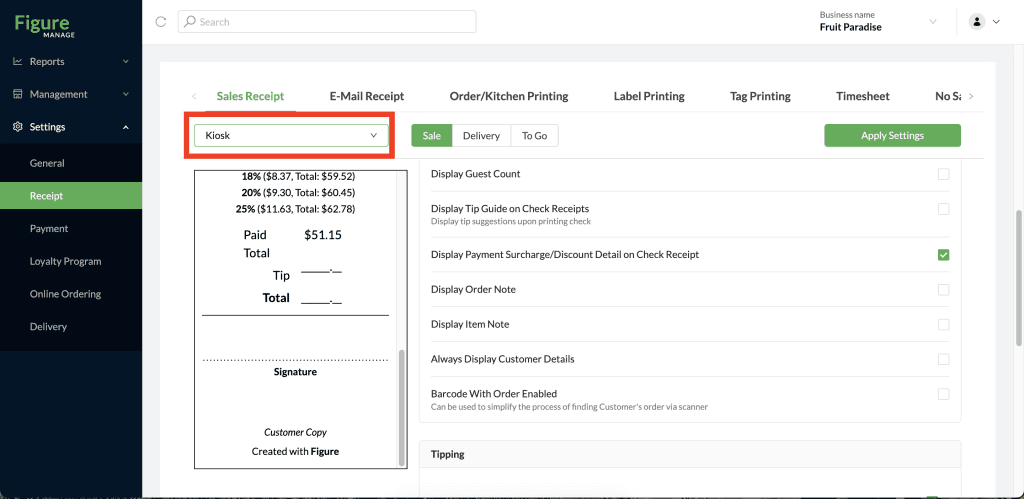
[3] Select a terminal for which you want to enable this feature (it is applicable to POS and Kiosk terminals)
[4] Enable the Barcode With Order Enabled
[5] And click Apply Settings