Introduction
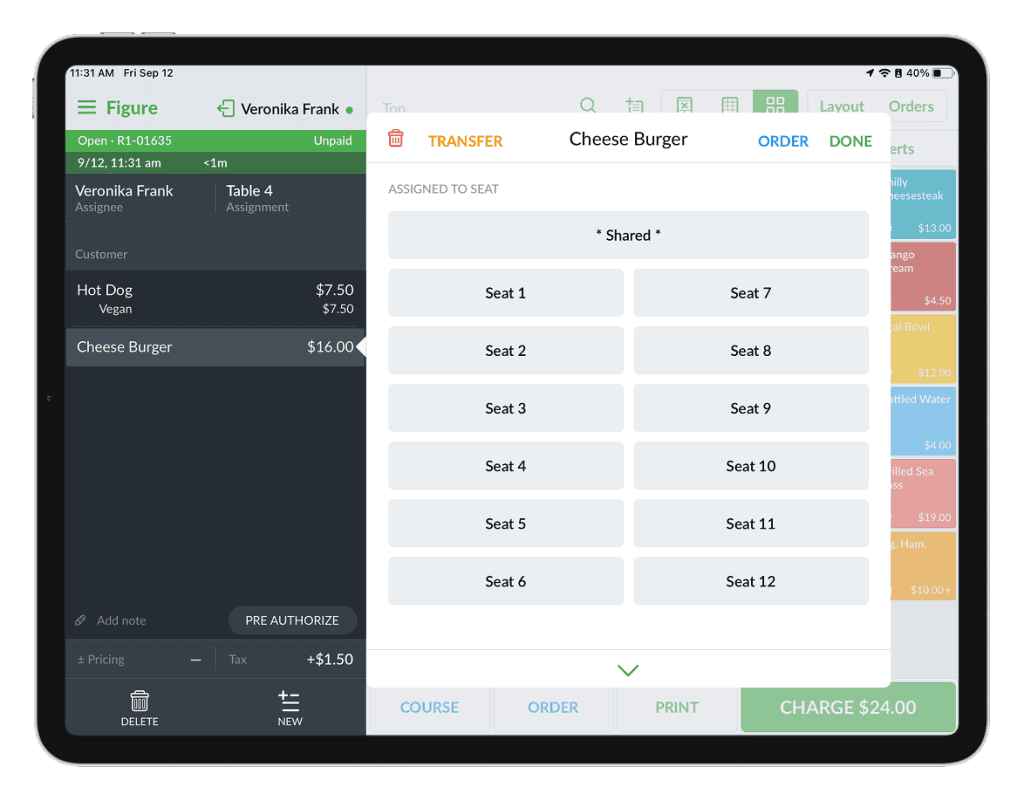
In the Figure system supports seat management, allowing you to assign items to specific seats. Seats can be added to items when needed, or the system can be set to prompt for a seat whenever certain items are added to an order. This helps staff keep orders organized and ensures accurate service for each guest.
Enable the seating management
[1] Go to Figure Manage > Settings > General > the 'Sales Input' tab
[2] Select the terminal where you want to use this feature, then turn on Enable Seating Management.
[3] Click Apply Settings
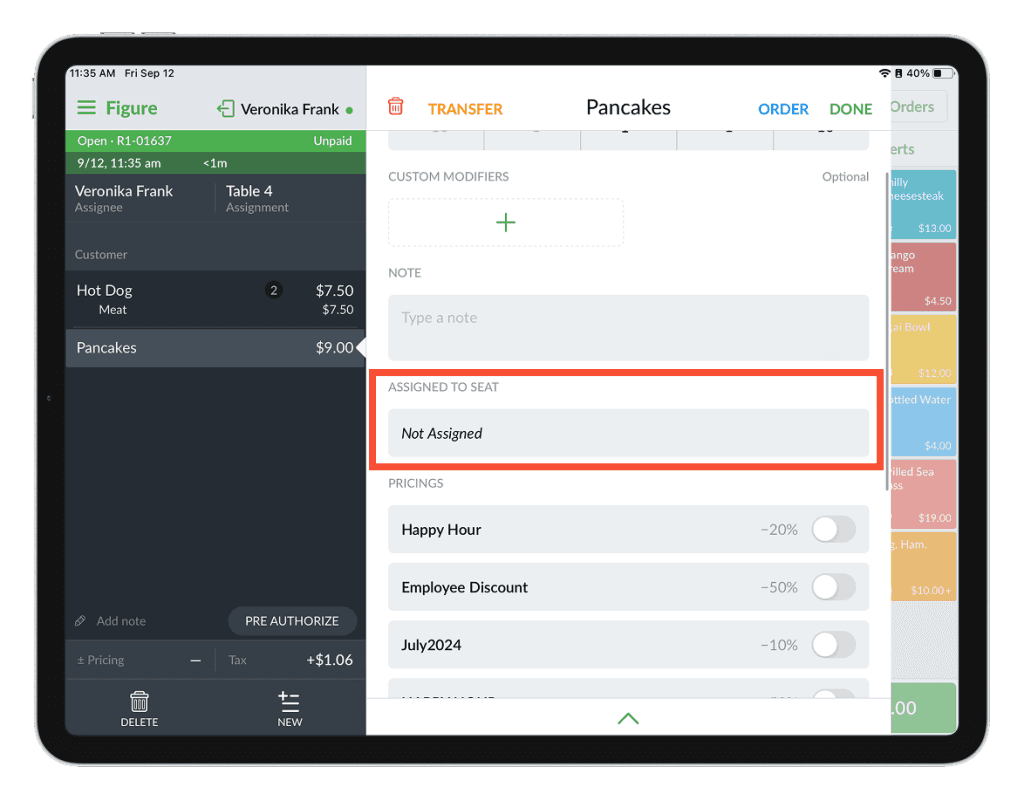
When this setting is enabled, then when clicked on an item in the order, the option to assign a seat will be available:
Prompt the seating selection upon adding items
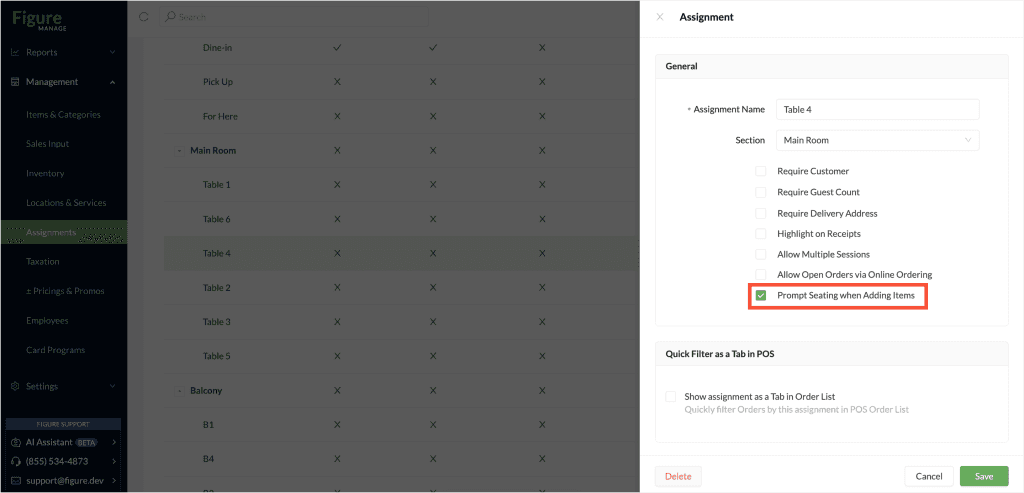
To have the seating management automatically prompted upon adding an item to an order, this needs to be set for each assignment (table,...). Follow these steps:
[1] Go to Figure Manage > Management > Assignments
[2] Click on any assignment for which you want to enable this (in our example below it's Table 1)
[3] Check the Prompt Seating when Adding Items
[4] Click Save
Do this for all assignments where you want to use this behavior.