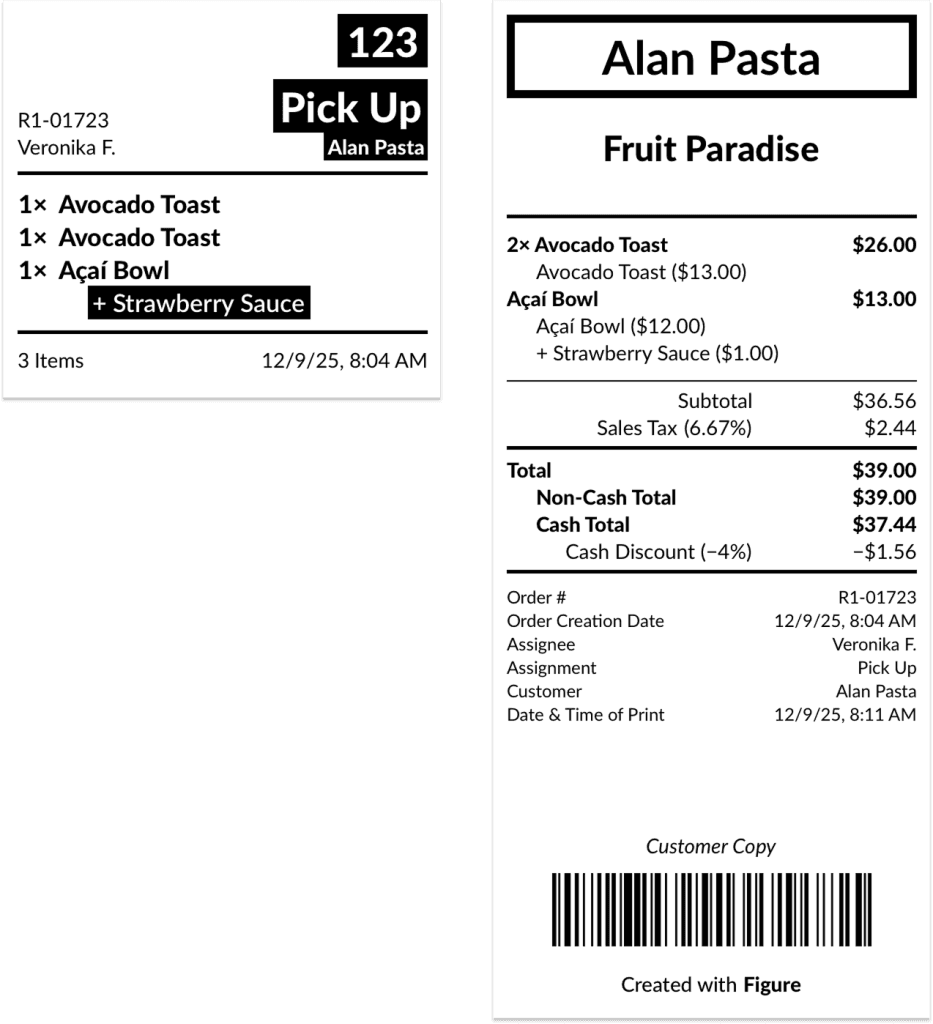
To streamline fast-paced front-of-house workflows—especially common in pizzerias—you can enable an option that automatically prints the check receipt as soon as items are sent to the kitchen. This removes the need for staff to tap both Order and Print, saving valuable time at the counter.
Where to Enable the Setting
This feature is by default disabled for new accounts. It can be enabled in both – POS and Figure Manage.
In POS
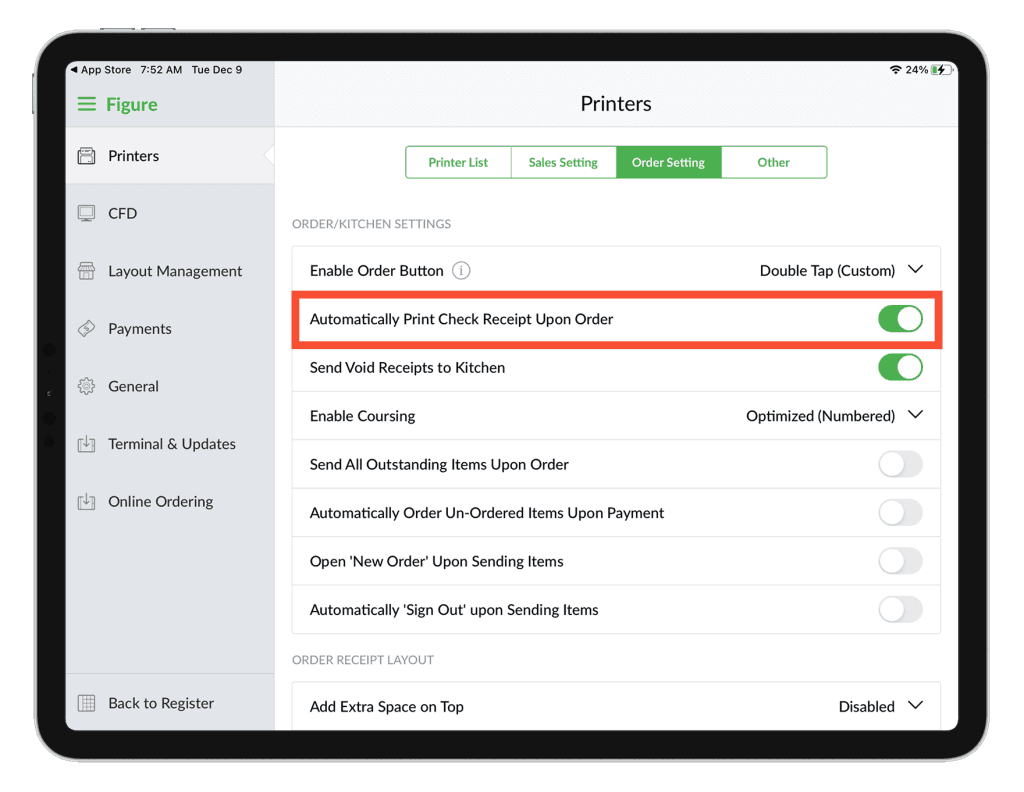
[1] Go to main menu > Settings > Printers > Order Setting
[2] Enable 'Automatically Print Check Receipt Upon Order'
In Figure Manage
[1] Log in to Figure Manage
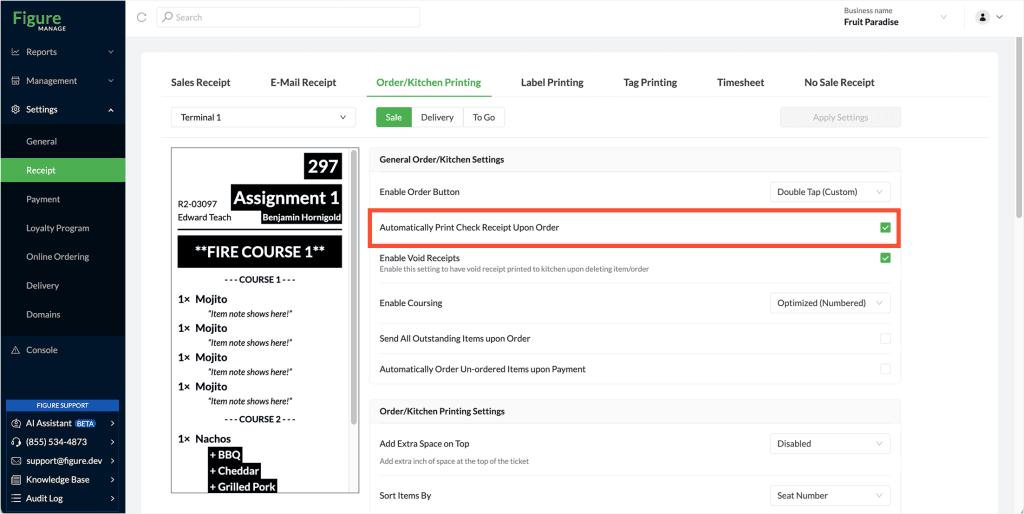
[2] Go to Settings > Receipt > Order/Kitchen Printing
[3] Enable the 'Automatically Print Check Receipt Upon Order'