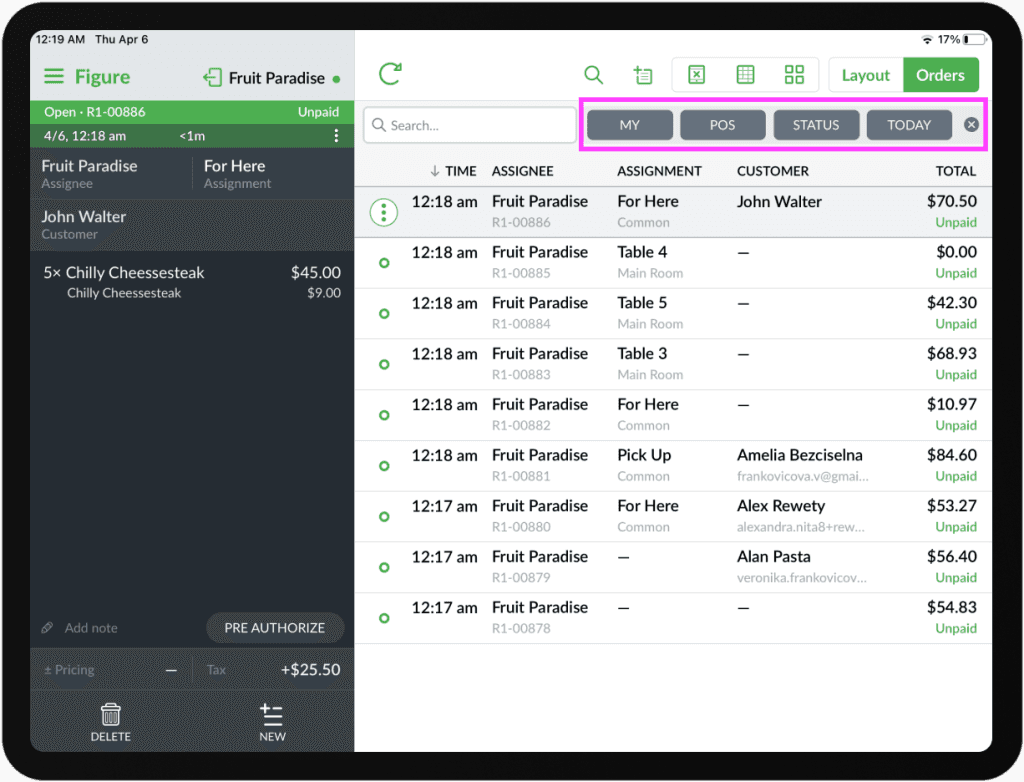
You can set the terminal to automatically set filter for orders for the signed-in employee to make it easier for employees to manage their orders. To set this, follow the steps below:
[1] Go to Figure Manage and log in with your credentials.
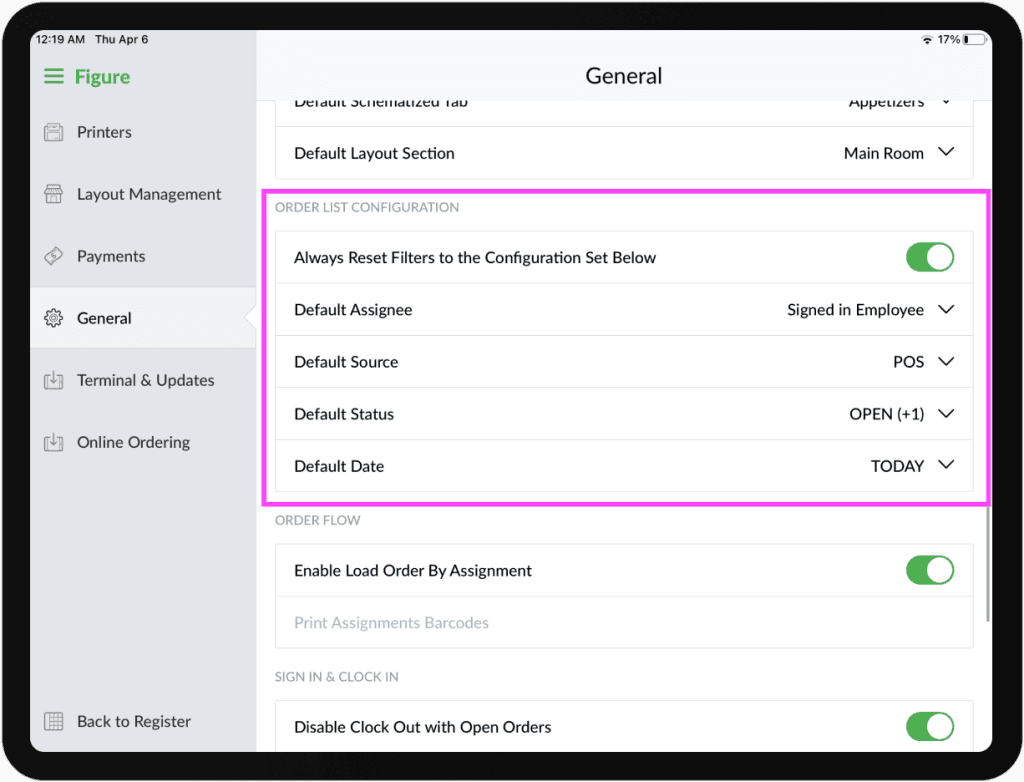
[2] Go to Settings -> General and scroll fown to ORDER LIST CONFIGURATION
[3] Enable the Always Reset Filters to the Configuration Set Below
[3] Set the defaults for each filter based on your preference. The filter will always reset to these set values.
The filter respects the default values: