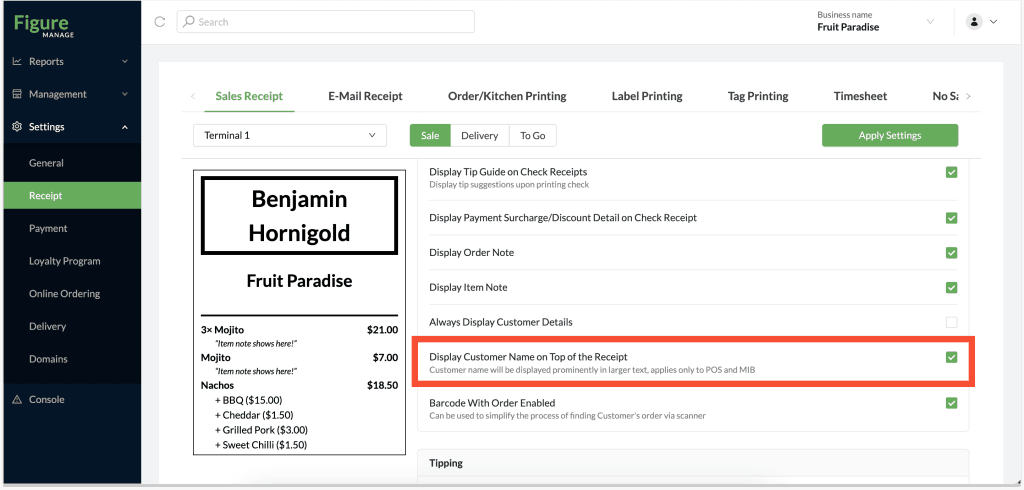
Make it easier for delivery pickups and display the customer name on top of the sales receipt.
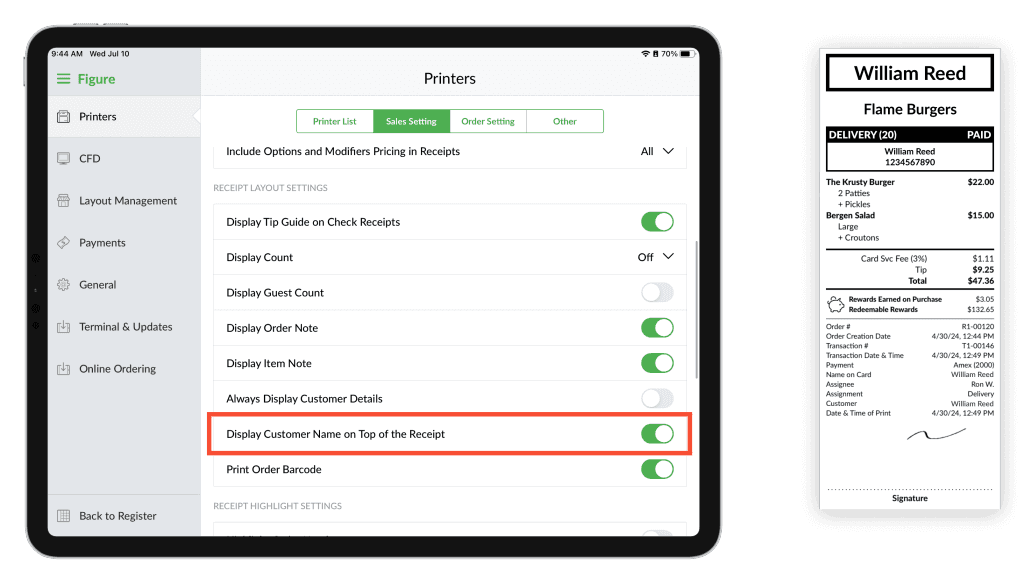
This feature can be enabled from both Figure POS or Figure Manage.
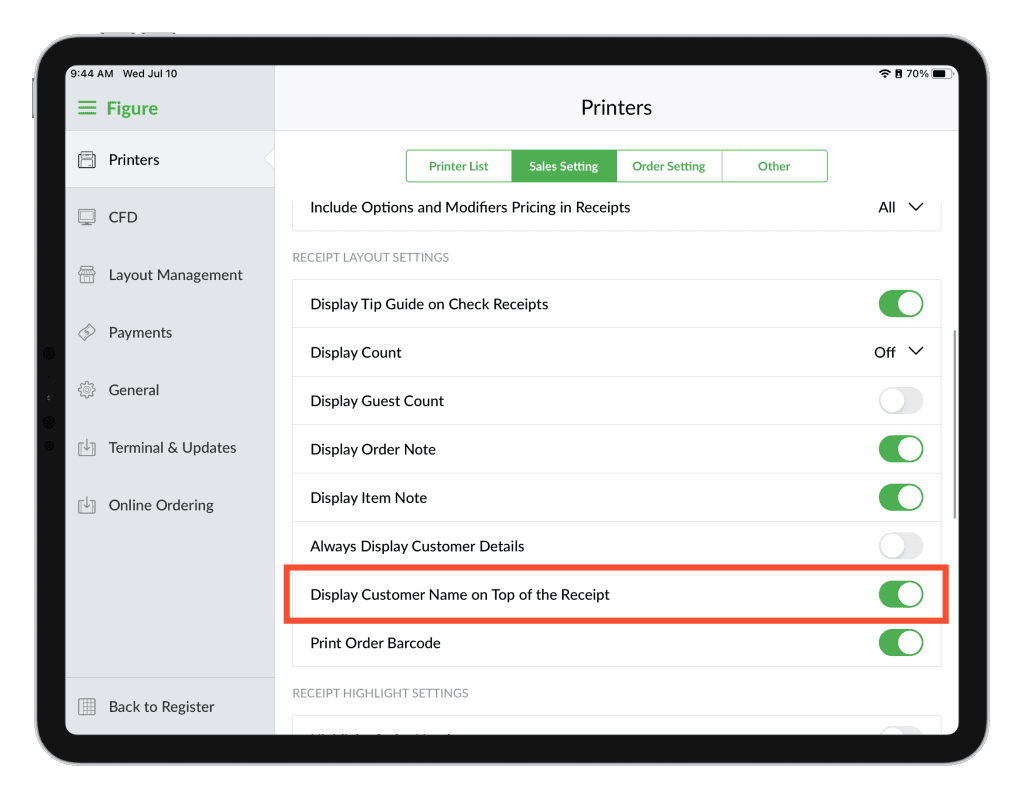
How to enable the feature in POS:
[1] Go to main menu (top left corner) > Settings > Printers > Sales Setting
[2] Enable the 'Display Customer Name on Top of the Receipt'
Important: If you use more POS terminals, it is necessary to do it for each of them.
How to enable the feature in Figure Manage:
[1] Go to Figure Manage > Settings > Receipt > Sales Receipt
[2] Select the terminal for which you want to enable this setting (it is possible to select all terminals)
[2 ] Enable the Display Customer Name on Top of the Receipt
[3] Click Apply Settings