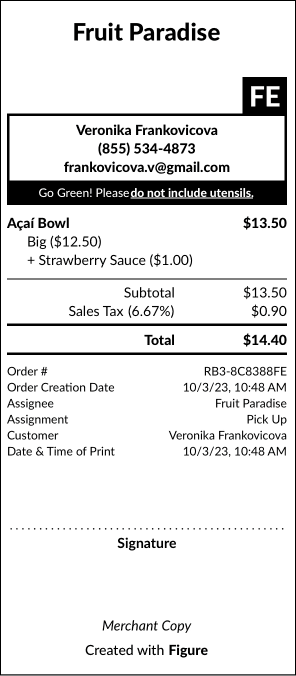
Enable eco-friendly (/ Go Green / No Utensils) option during customer checkout on Make It Butter.
Customers can choose whether they want to receive utensils with their order or not. You can choose what will be the default option – include / do not include utensils.
How to enable the Eco-Friend Option
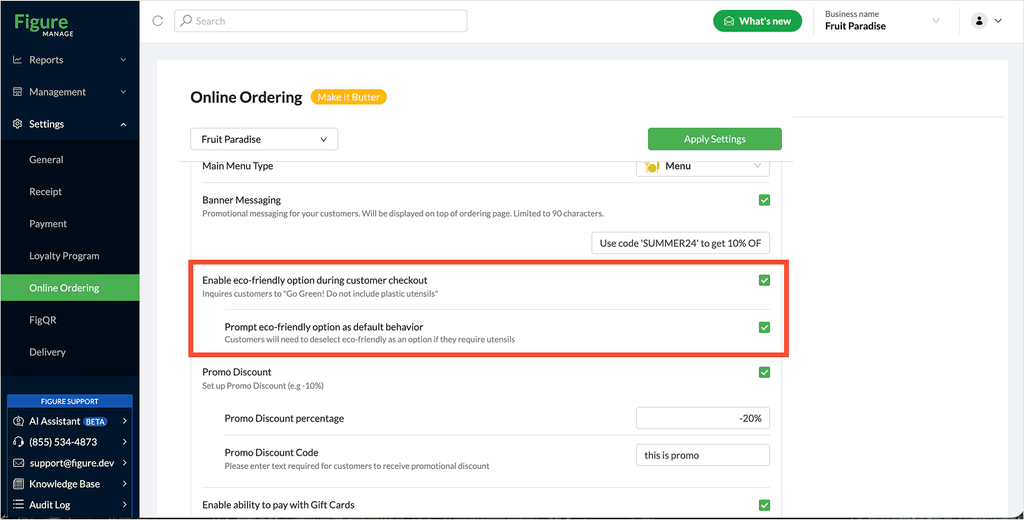
[1] Go to Figure Manage > Settings > Online Ordering
[2] Select the service (Make It Butter website) you'd like to edit
[3] Check the 'Enable eco-friendly option during customer checkout'
[4] An option to 'Prompt eco-friendly option as default behavior' will appear. You can leave it unchecked (= the Go Green option will not be checked by default when placing an order) or enable prompting the eco-friendly option as default behavior.
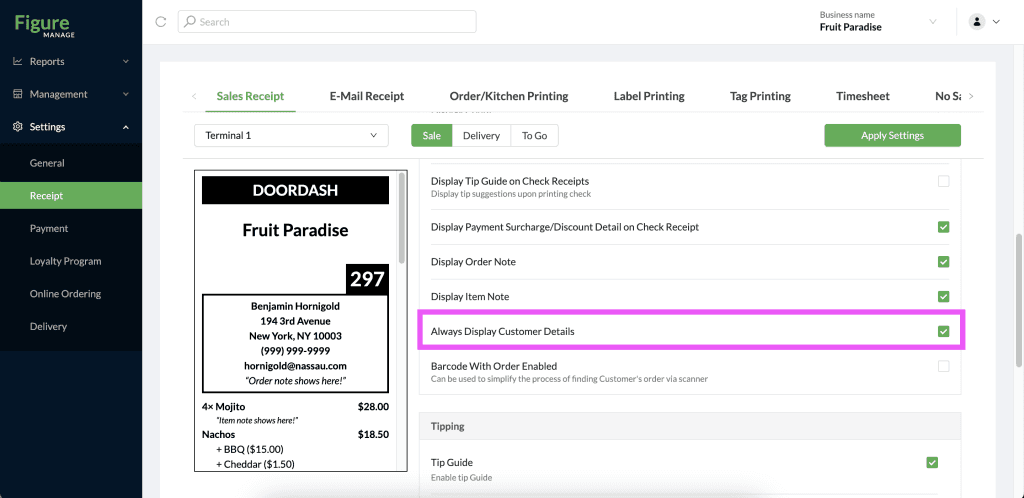
[5] Now, go to Figure Manage > Settings > Receipts > Sales Receipt and enable the 'Always Display Customer Details' and for all POS terminals from where the sales receipts will be printed – usually where the online orders are being accepted.
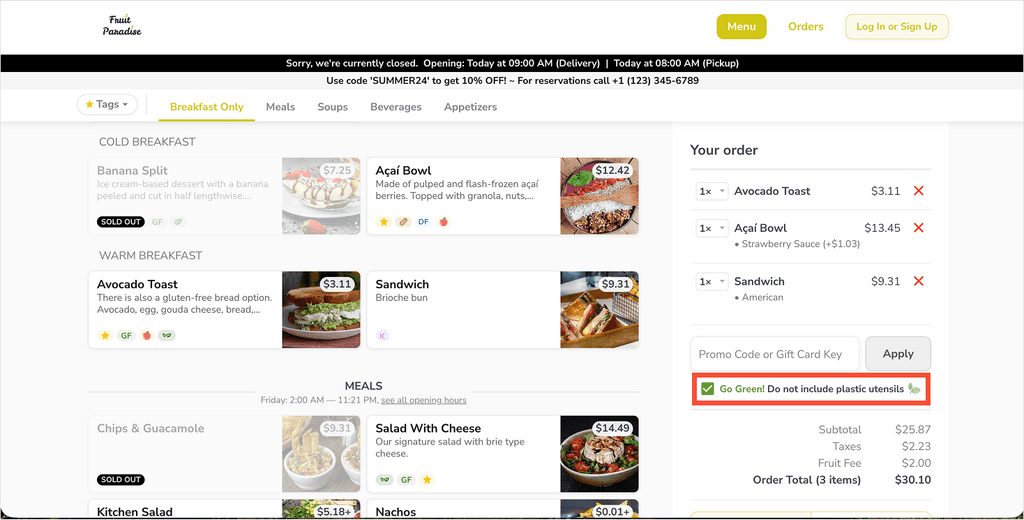
How customers can choose whether they want or do not want utensils
When placing an order, the option will be displayed in the cart. It will or will not be checked by default based on the settings described above.
How the restaurant knows if to include utensils or not
If the eco-friendly option is enabled for the online ordering website and the customer chooses to not include utensils, this information will be printed on the sales receipt as an order note.