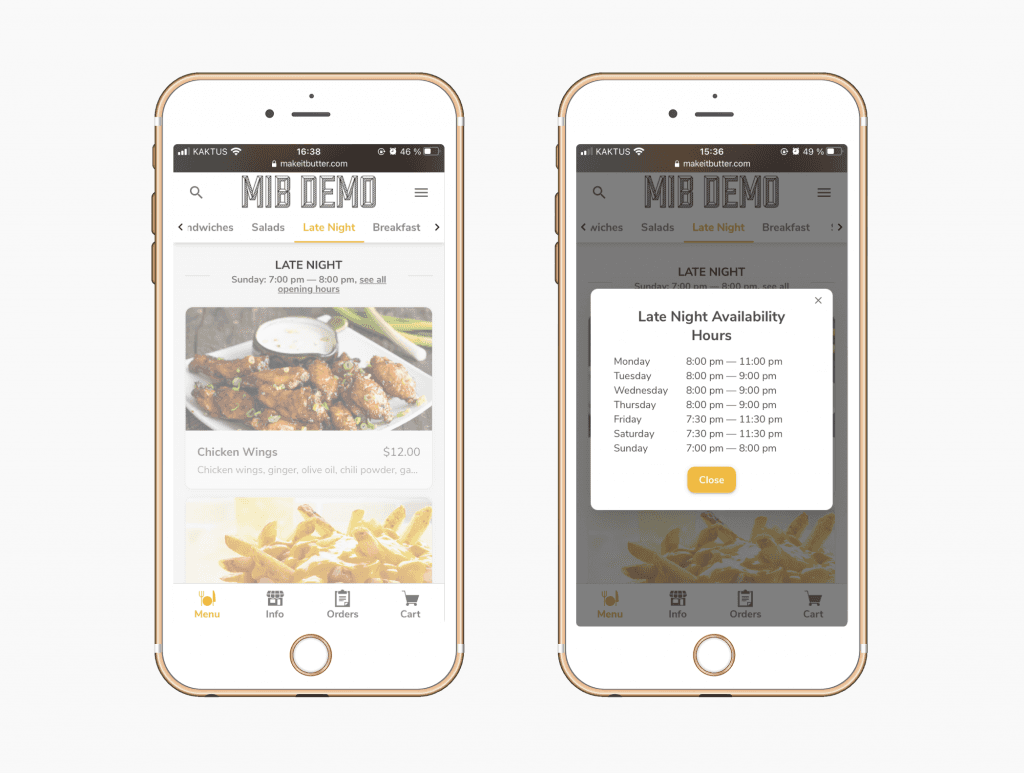
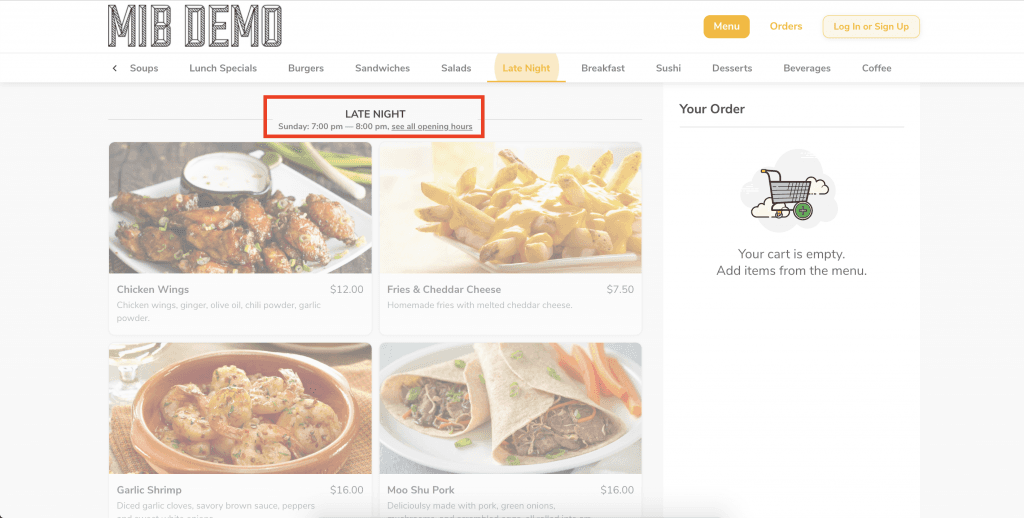
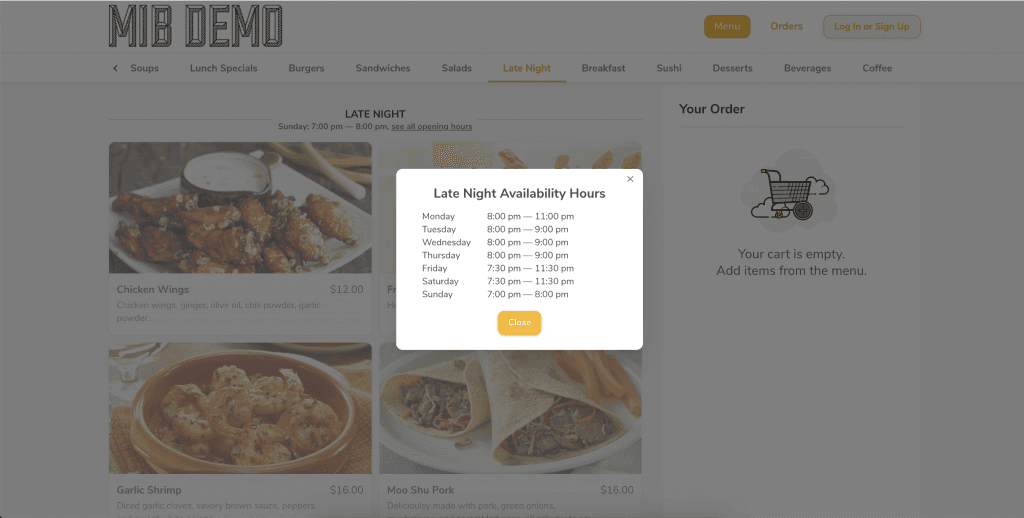
Want to sell your products or services in specific time slots? We can help you set that up!
You can set the days and hours of availability for a folder/category for Make it Butter or Kiosk in Figure Manage website.
[1] Log in with your credentials and go to Management > Sales Input > Online Ordering or Kiosk, depending on to which platform you want to configure this hours of availability for.
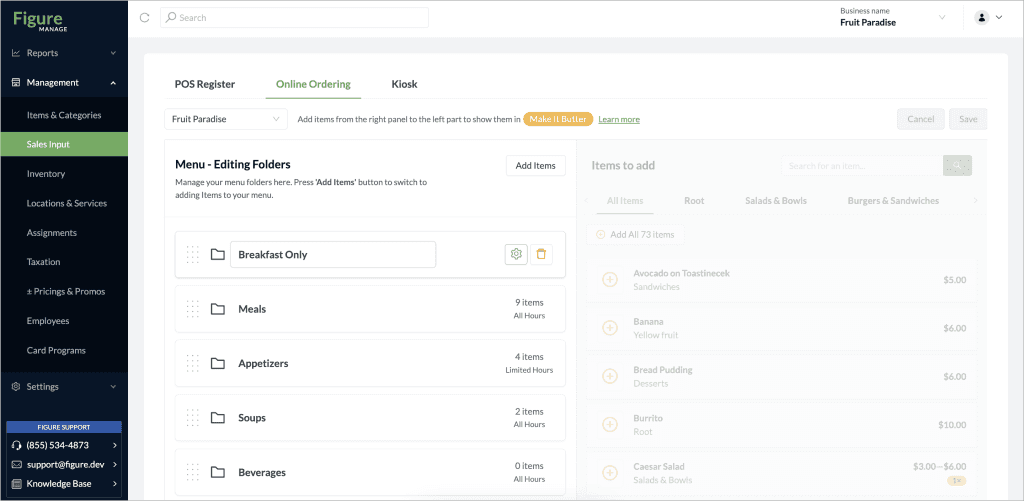
[2] When you hover over a folder, you'll see a gear icon.
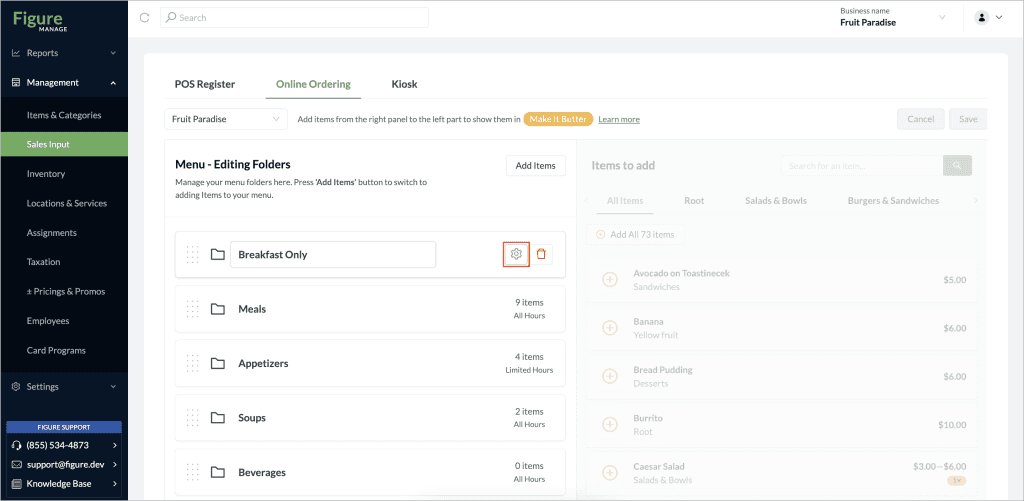
[3] Click the gear icon to configure when items in this folder will be available. When you are done, don’t forget to click 'Save'.
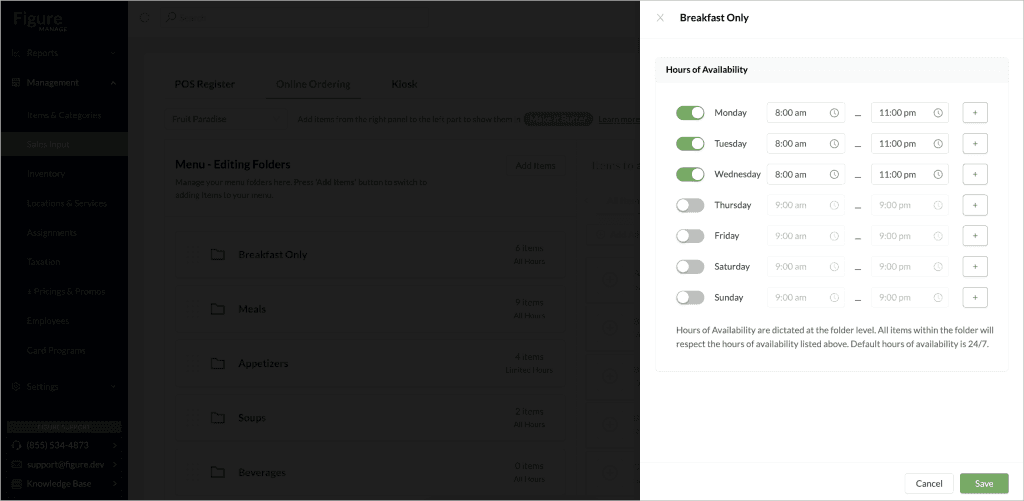
Examples: