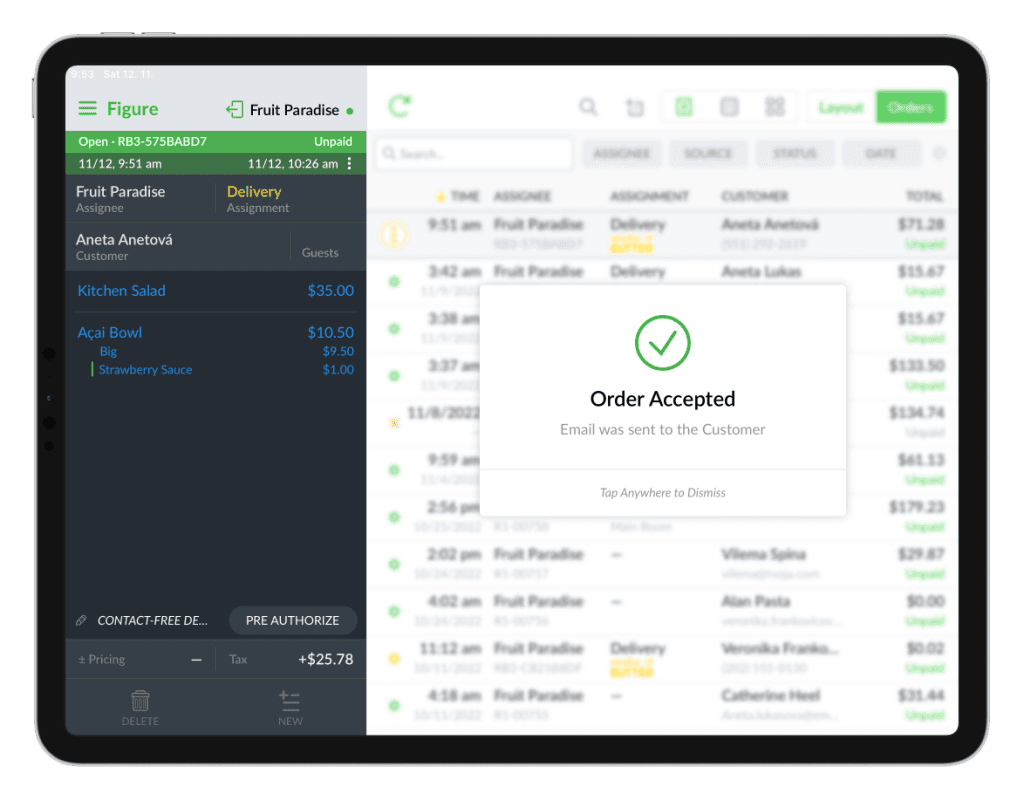
When your kitchen is busy and you keep getting new online orders, you can either pause your online ordering (see how) or you can delay orders. Customers will be automatically notified about the delay by a text message and an email.
How to enable delaying online orders
[1] Go to Figure Manage > Settings > Online Ordering
[2] Choose a service (online ordering website) you want to enable this for.
[3] Scroll a bit down and find a setting called 'Enable ability to 'delay orders' for 'Pick Up' and 'Delivery' orders' and check the checkbox by it.
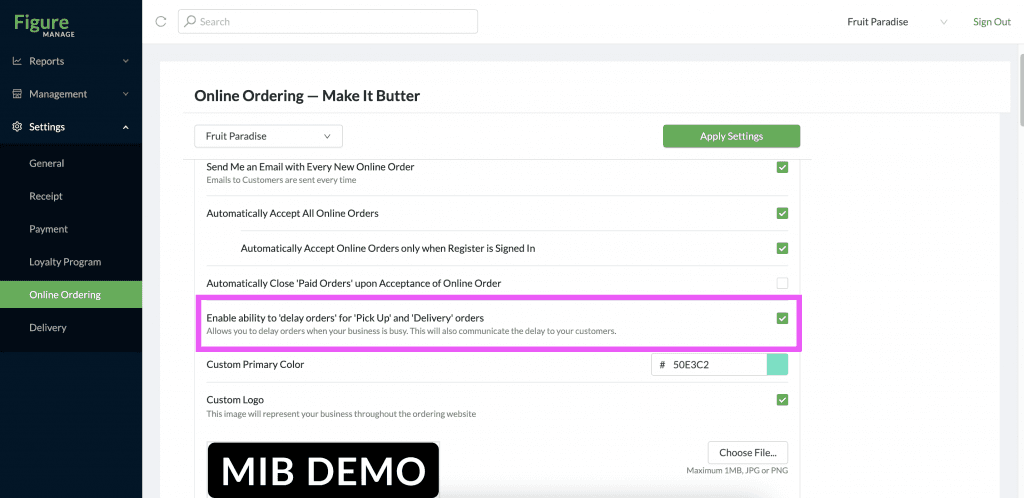
[4] Hit Apply Settings
How to delay an order in POS
[1] After hitting ACCEPT after you receive an online order, the DELAY options will show up. (The order is not yet accepted at this step!)
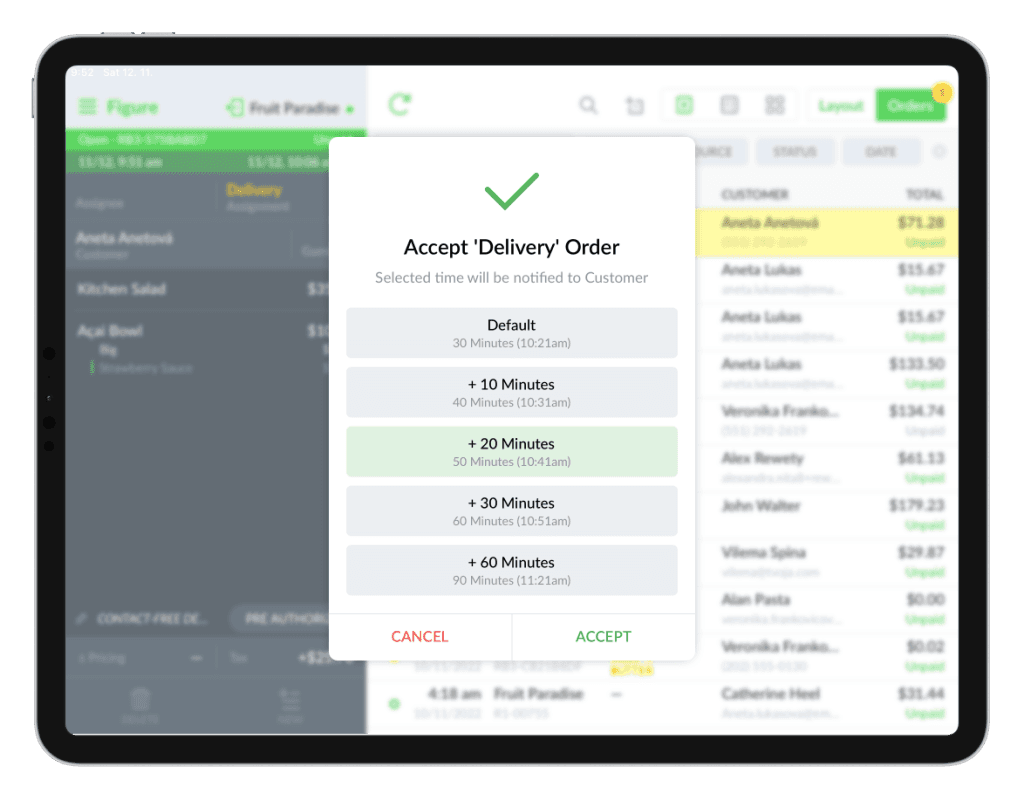
[2] Choose an option of the delay – touch it.
[3] Hit ACCEPT.
The customer will receive an email confirmation about the estimated time of the order.