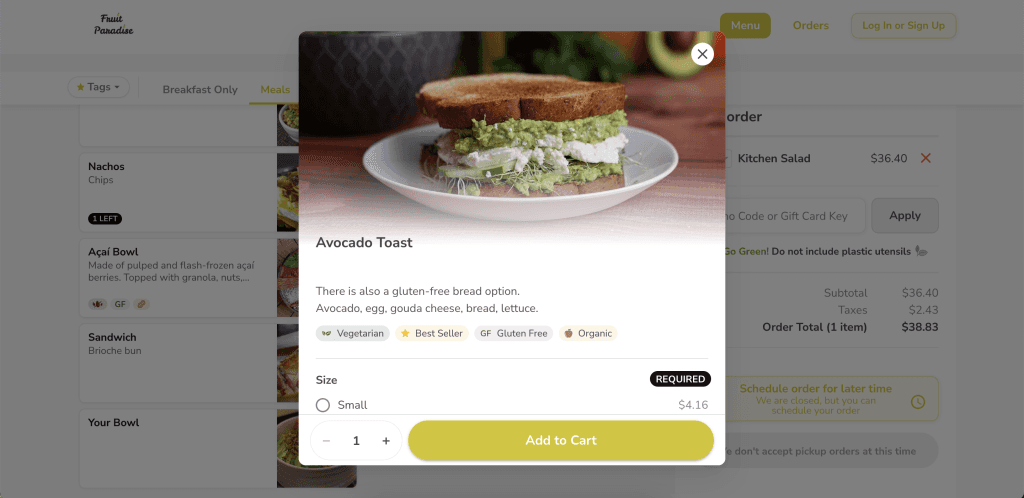
Use predefined item tags to help customers ordering through Make It Butter find their preferred options—they can either filter meals by specific tags or view tags displayed next to each menu item.
Note: tags are displayed only on Make It Butter website – they are not displayed on POS or Kiosk

How to assign tags to items
[1] Go to Figure Manage > Management > Items & Categories
[2] Open an item detail (or create a new item)
[3] Go to Additional Info
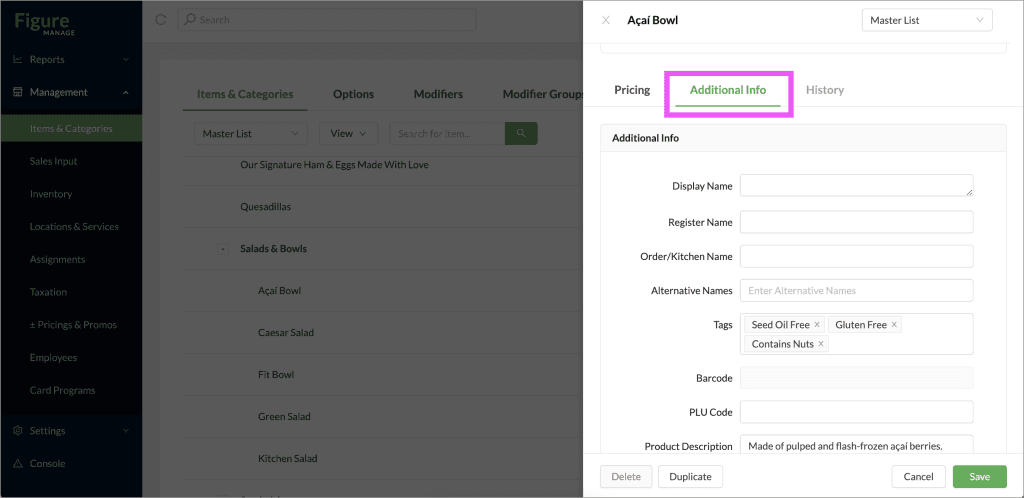
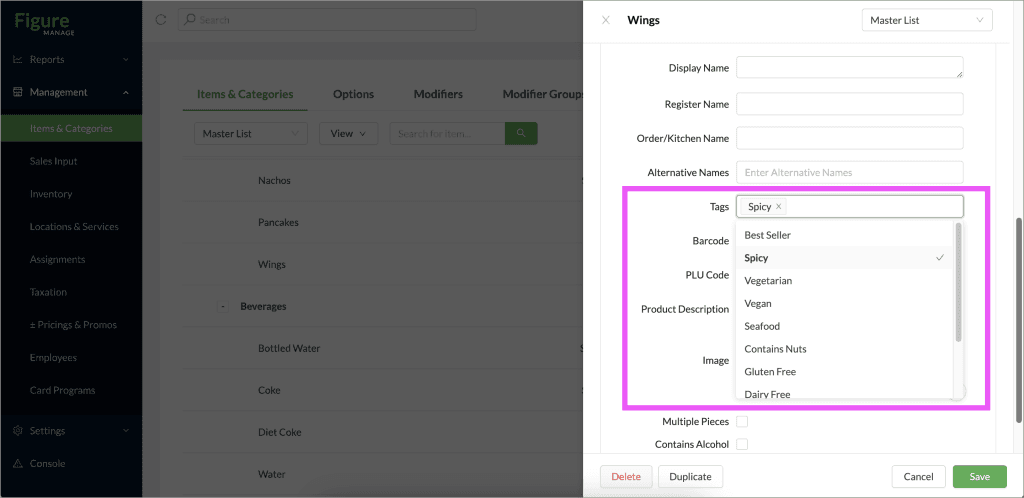
[4] Add tags. You can select from these predefined item tags and apply up to 4 tags to each item:
Best Seller
Spicy
Vegetarian
Vegan
Seafood
Contains Nuts
Gluten Free
Dairy Free
Kosher
Organic
Seed Oil Free
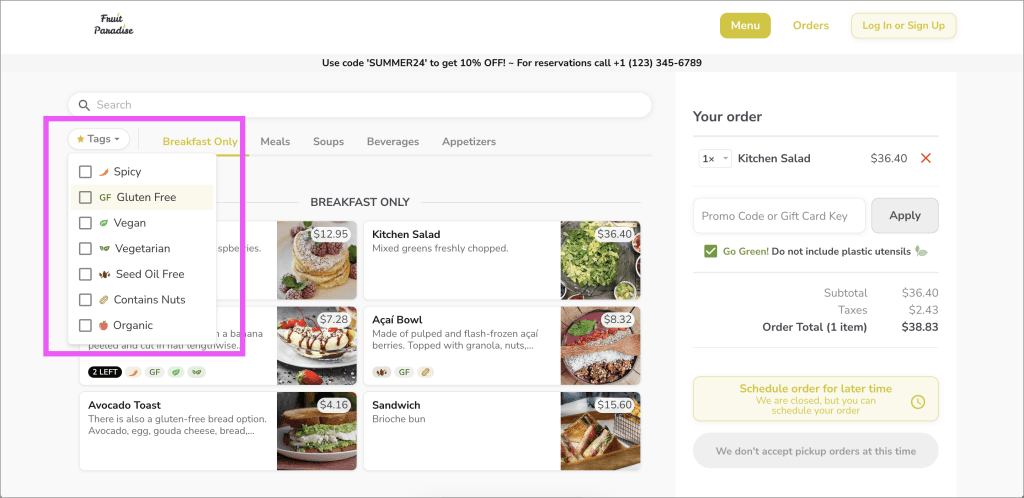
How to filter by tags on Make It Butter
Customers can filter for specific tags by using the filter on the ordering website:
Tags are also displayed as icons by each item in the menu as well as they are listed in the the item detail: