Build a loyal customer base with the Loyalty Program! The loyalty program gives customers a set percentage back on each order as loyalty credits. In Figure Manage, you can configure the percentage, the minimum redemption amount, and also choose whether the program applies to POS, Make It Butter, or both. Once customers reach the redemption threshold, they can use their points toward future purchases. Activate loyalty program in few minutes and start enrolling customers!
Configuration
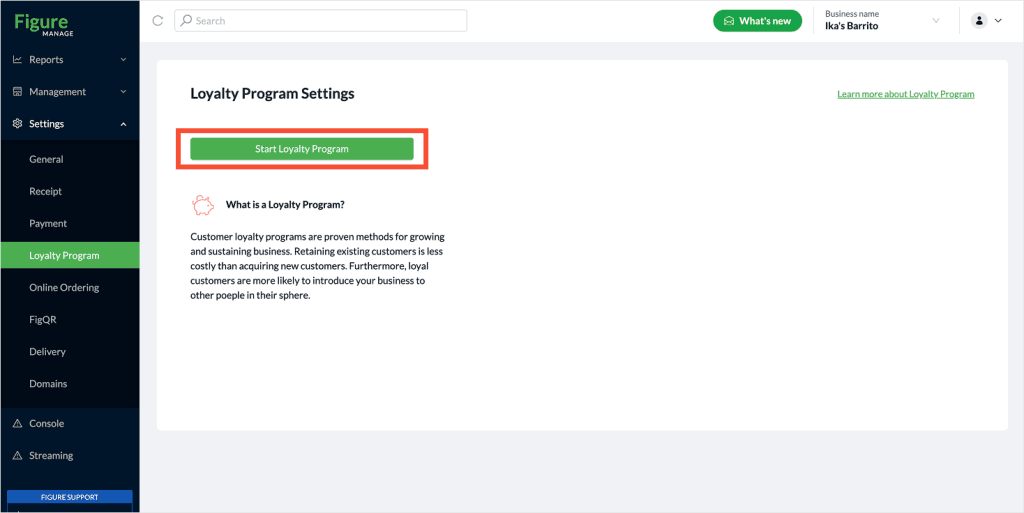
[1] Log into Figure Manage website with your credentials and go to Settings –> Loayalty Program.
[2] Hit Start Loyalty Program
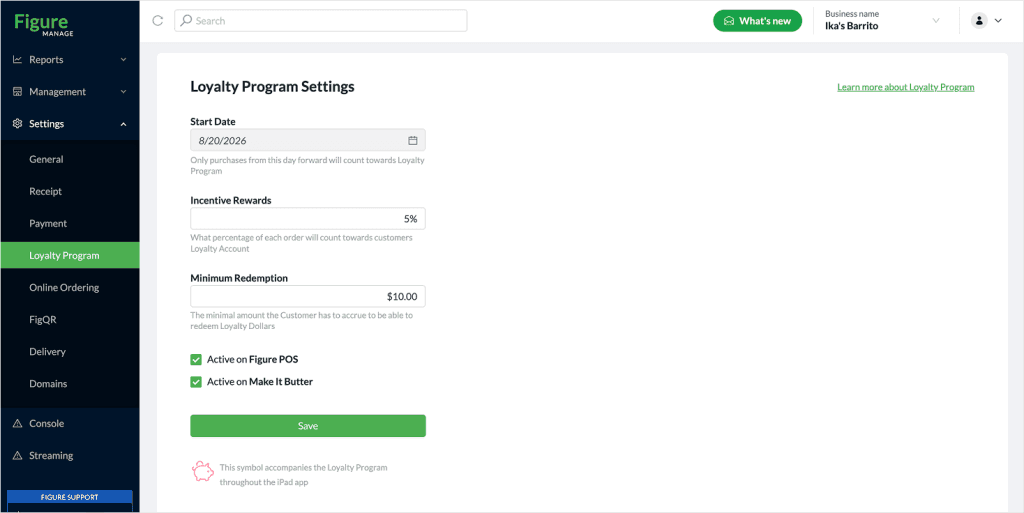
[3] Set:
- what percentage of each order will count towards customers Loyalty Account
- the minimal amount the Customer has to accrue to be able to redeem Loyalty Rewards
- if the loyalty program will apply just for POS, Online Ordering, or both
How to enroll customers
Online Ordering
Once you have the Loyalty Program activated, customers are automatically enrolled when placing an online order.
POS
[1] Go to the Customer list
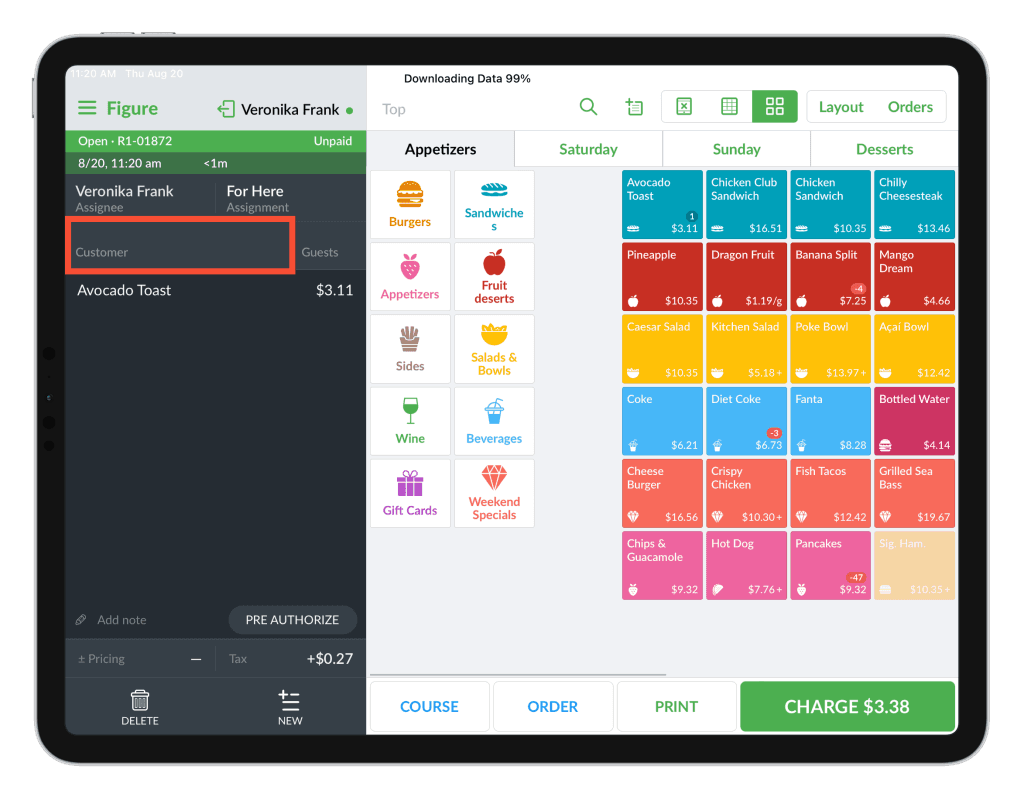
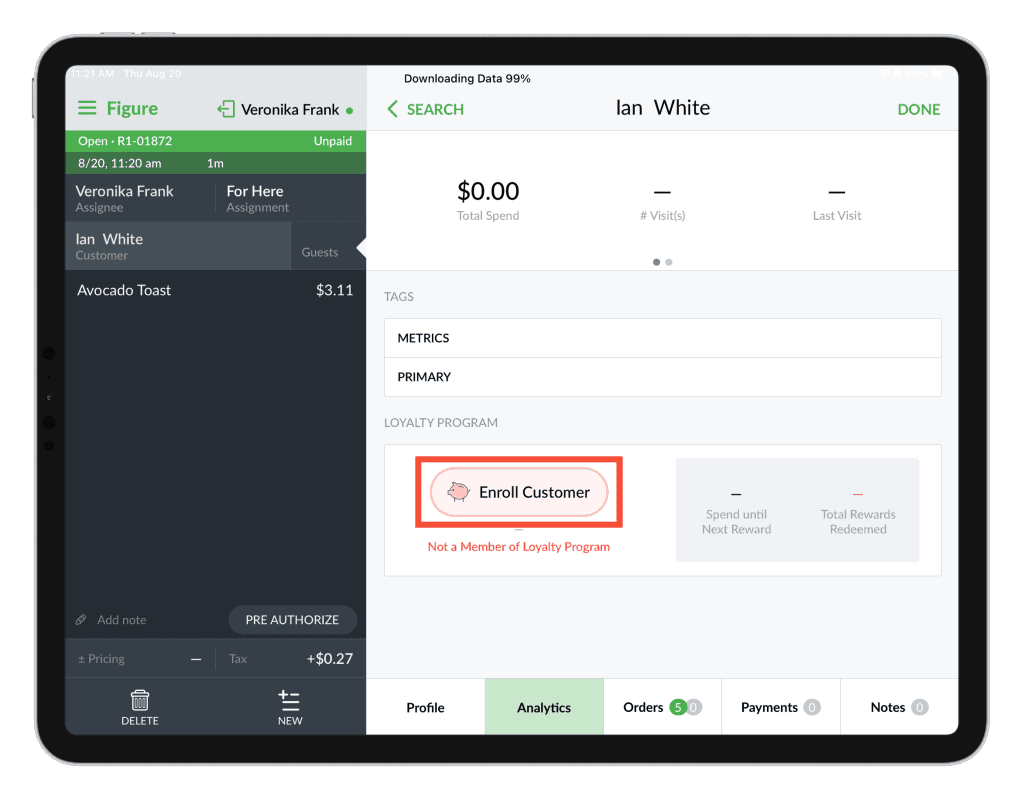
[2] Click the profile icon by the customer's name and open the Analytics tab. Tap Enroll Customer.
Customer Facing Display (CFD) NEW
Customers can also enroll in the Loyalty Program directly through the CFD. While placing an order, they can choose to log in or sign up to start earning and redeeming Loyalty Rewards.
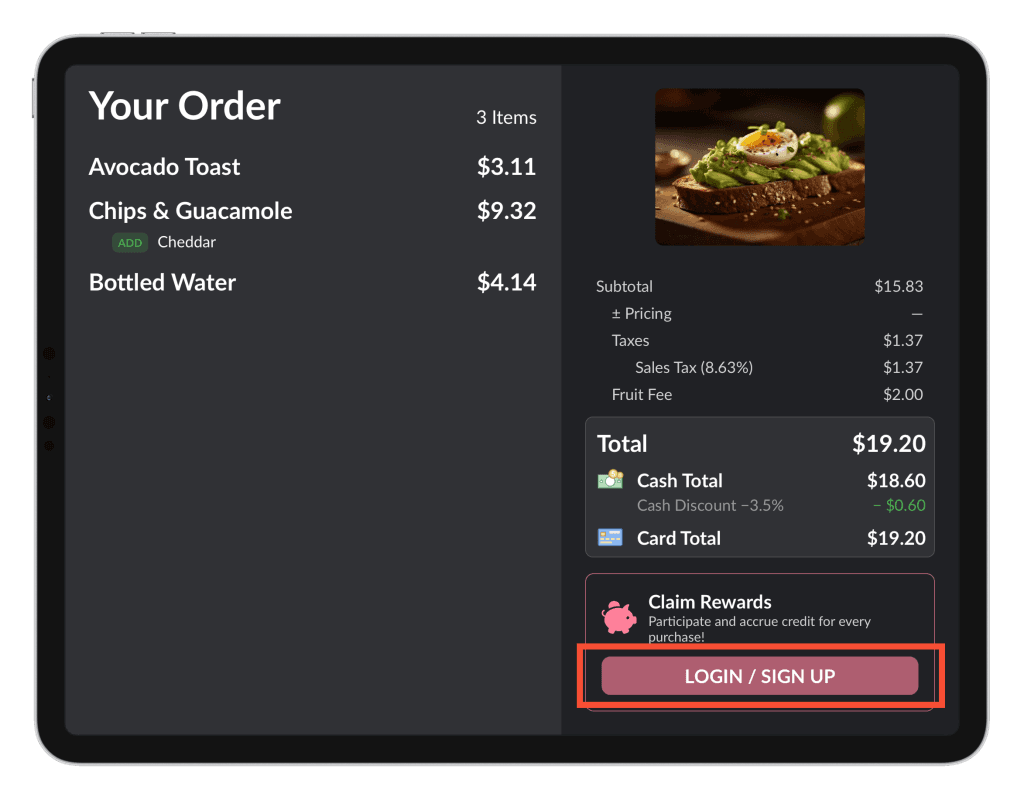
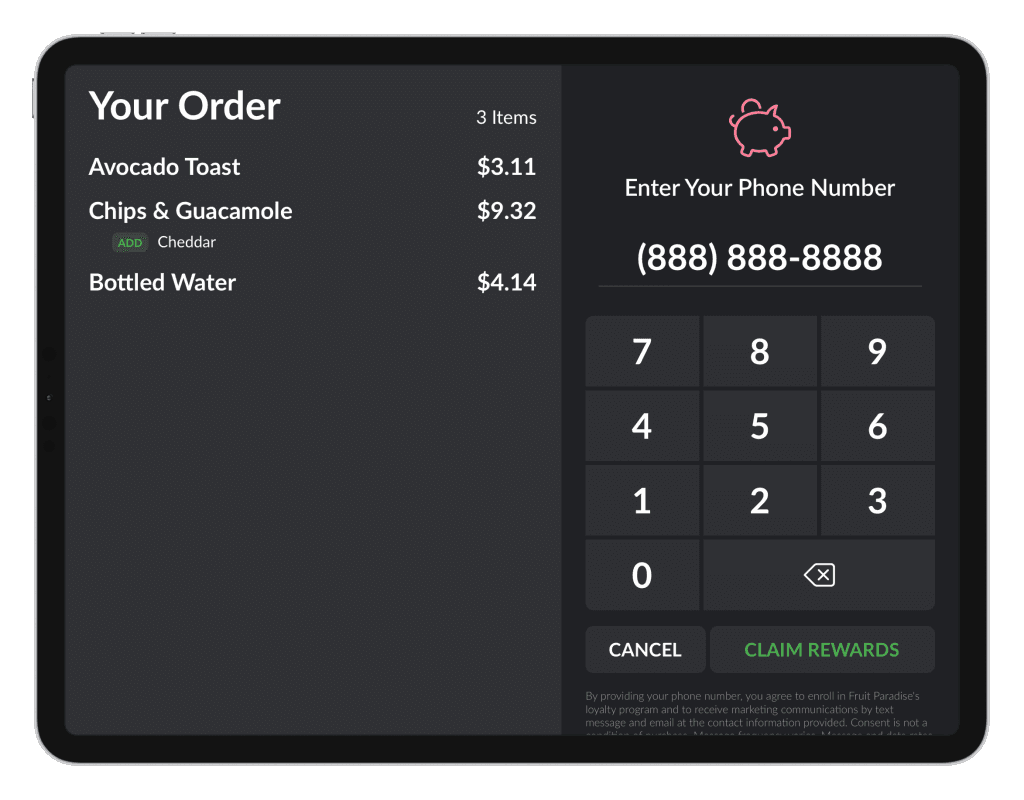
After tapping LOGIN / SIGN UP, customers will be prompted to enter their phone number. Based on the phone number provided, the CFD will determine whether the customer is already enrolled in the Loyalty Program or needs to sign up.
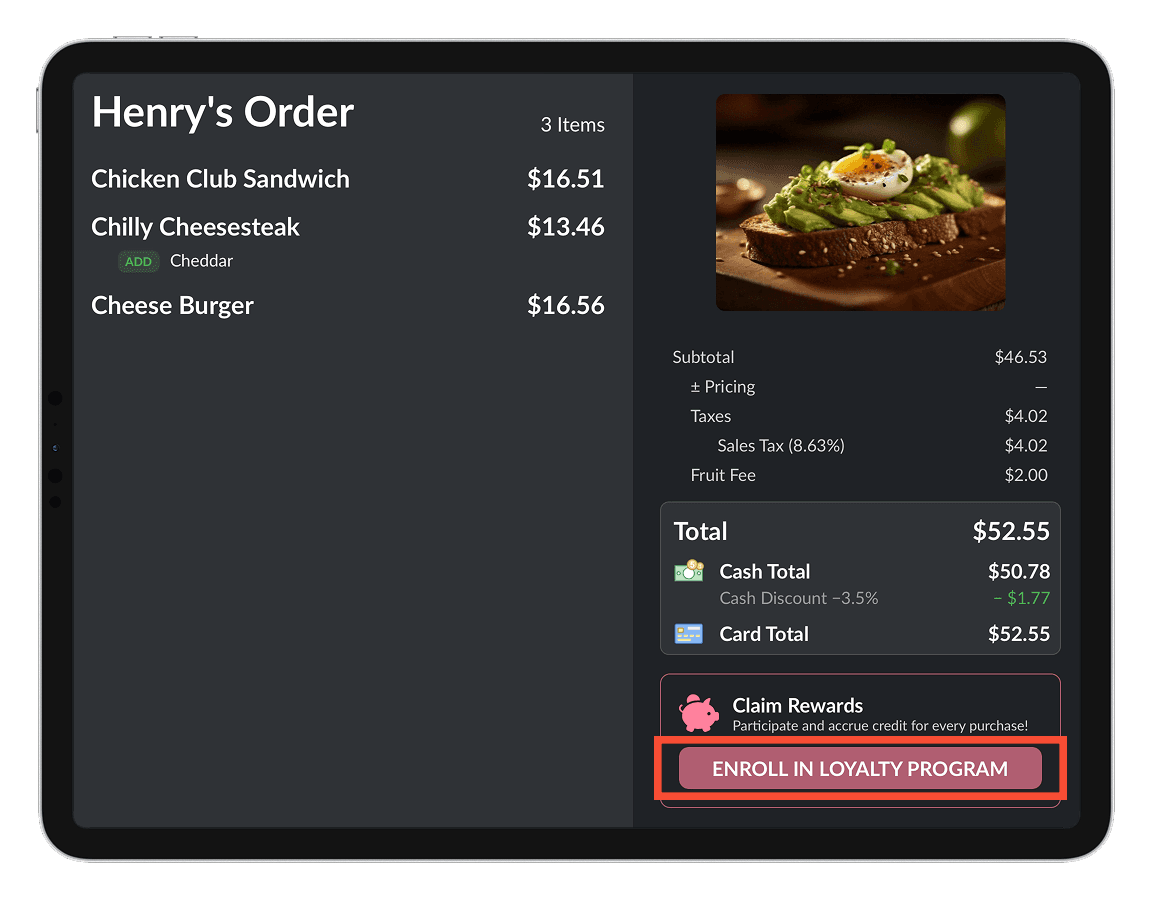
Customers who are not yet enrolled can choose to enroll in the next step directly on the CFD and start earning Loyalty Rewards with their purchase.
If the customer is already enrolled and has accumulated Loyalty Rewards, they can redeem them and use them as a payment method for the current order.
Figure Manage
[1] Log into Figure Manage website with your credentials and go to Reports –> Customers
[2] Select a customer and open his/the detail by clicking on his/her name
[3] Click Enroll Customer

Redemption
Online Ordering
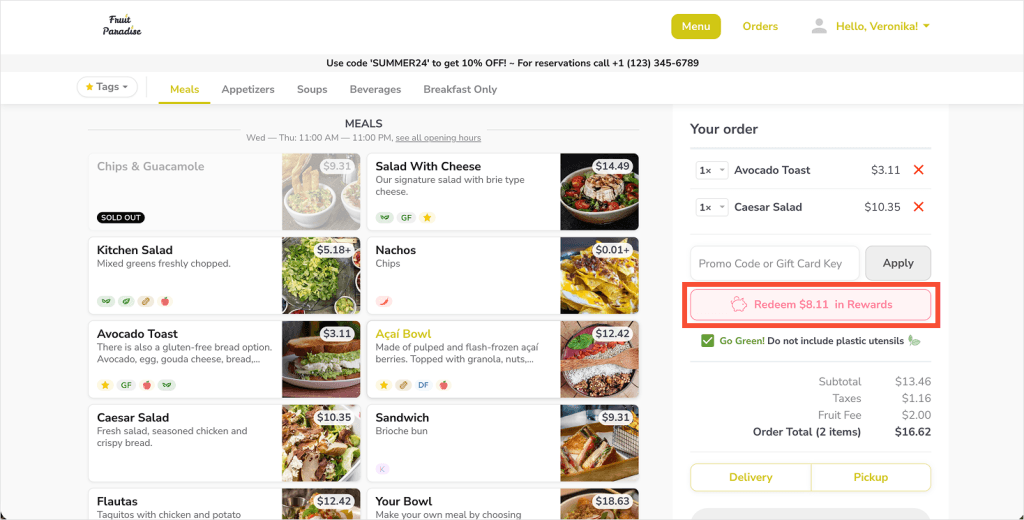
Customers can choose paying the order with Loyalty Points while placing the order.
POS
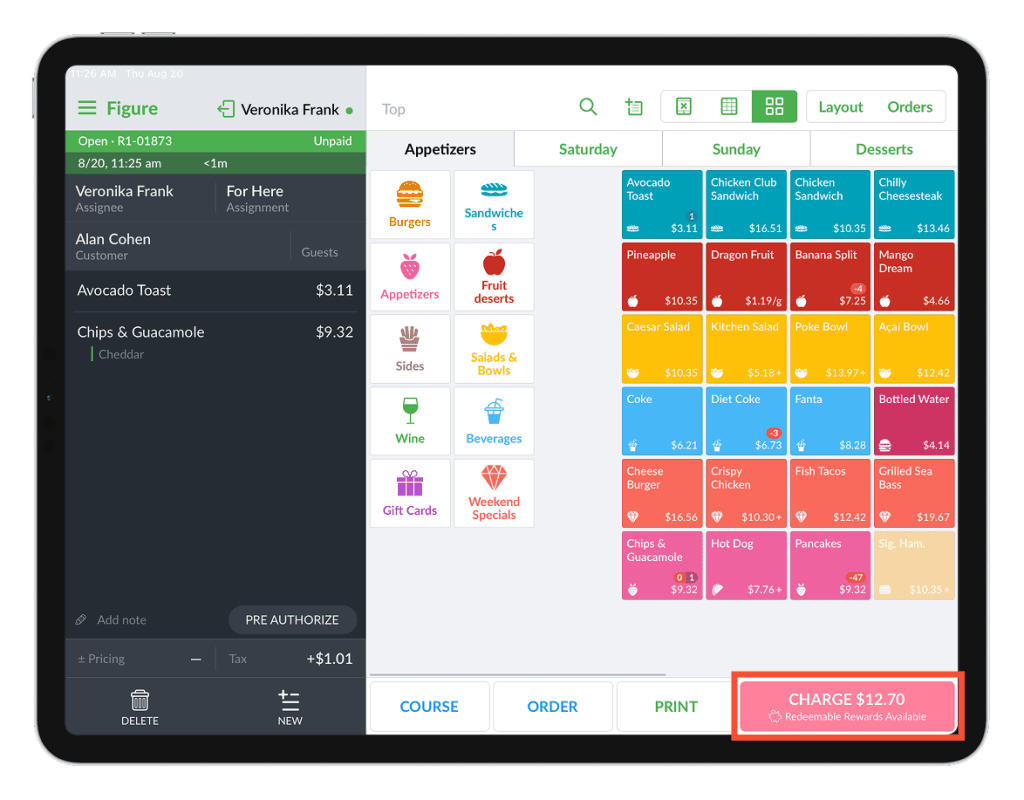
If a customer has redeemable Loyalty Rewards, they can be used as a payment method. To initiate the payment, press CHARGE.
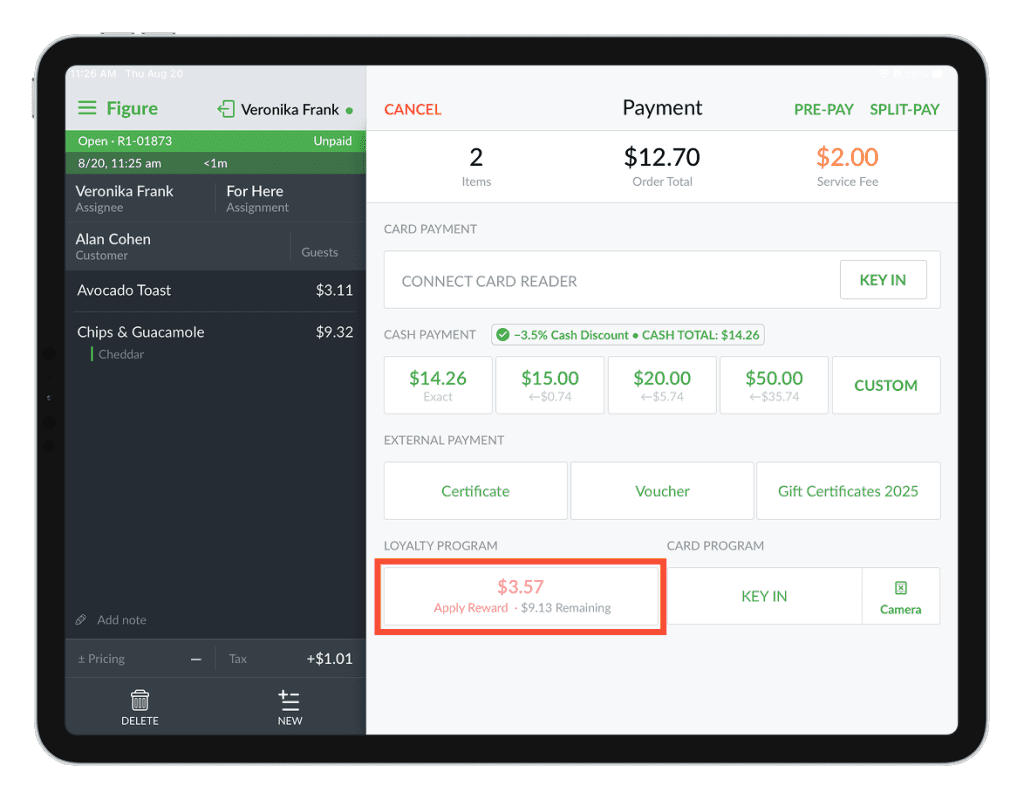
To apply rewards, use the button Apply Reward.
Customer Facing Display (CFD) NEW
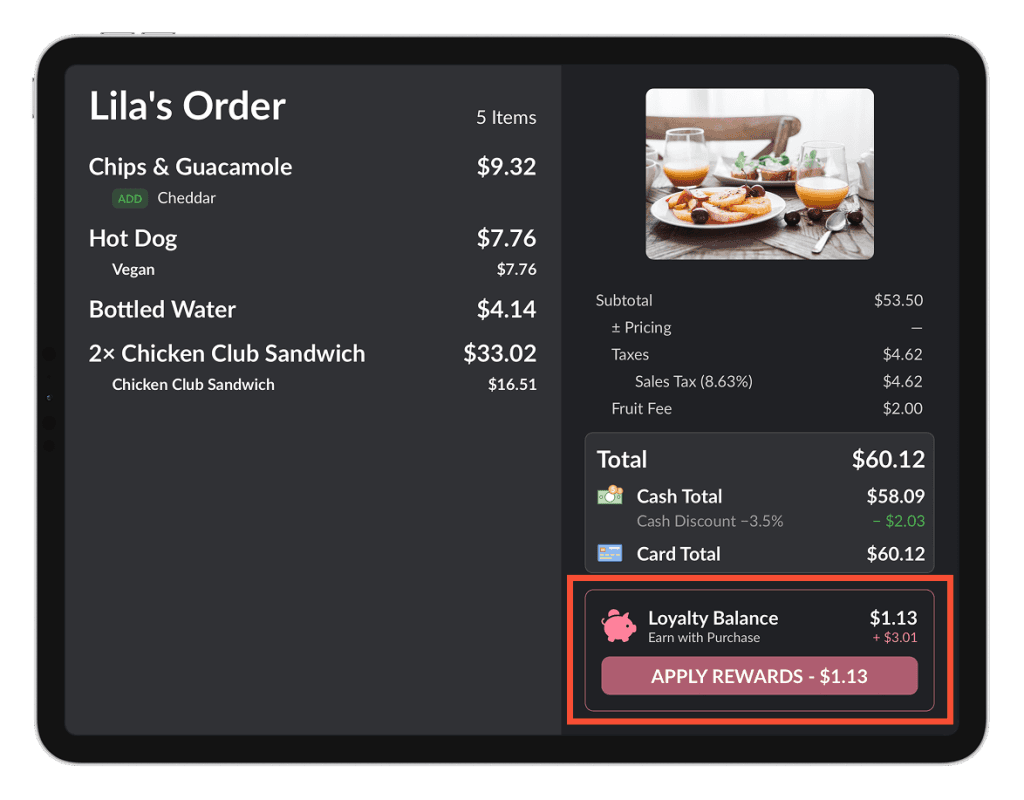
Customers can redeem their Loyalty Rewards directly through the CFD. While placing an order, they can choose to log in or sign up to start earning and redeeming Loyalty Rewards.
If the customer is already enrolled and has accumulated Loyalty Rewards, they can redeem them and use them as a payment method for the current order. (Customers who are not yet enrolled can sign up directly on the CFD and start earning Loyalty Rewards with their purchase).
How to turn off the Loyalty Program
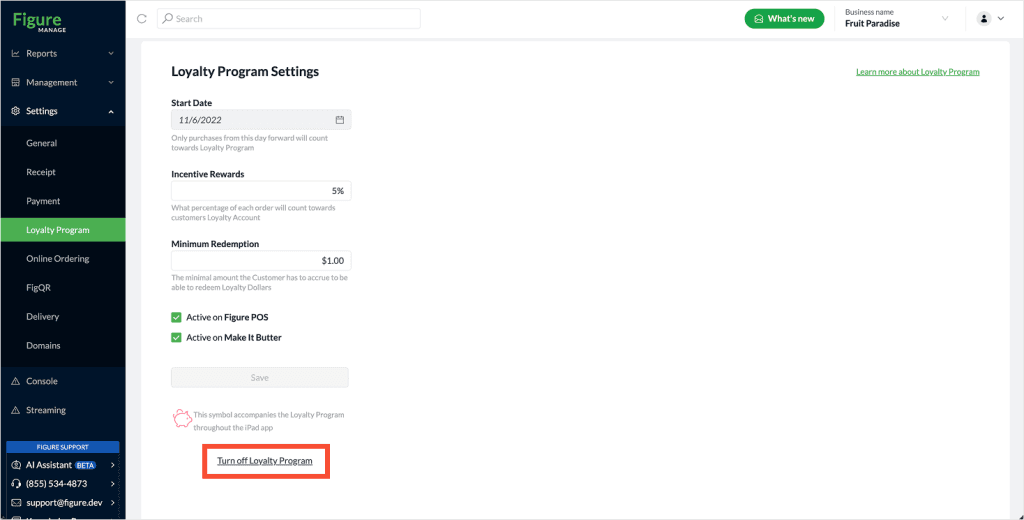
[1] Go to Settings -> Loyalty Program
[2] Click Turn off Loyalty Program at the bottom of the page.