In case you need to return the money to the customer, you can use several types of refund.
General Refund Process
Refunds can be processed through Figure POS. It is not possible to process refund via Figure Manage website.
Important: When processing a refund through TSYS using a Dejavoo device, please ensure you follow the General Refund Process and finalize the refund on the Dejavoo terminal. See the steps below for guidance.
[1] Go to the order list in your POS.
[2] Search for an order you would like to refund. You can use the search bar and search by the order number, customer name, total amount, phone number, email or asignee.
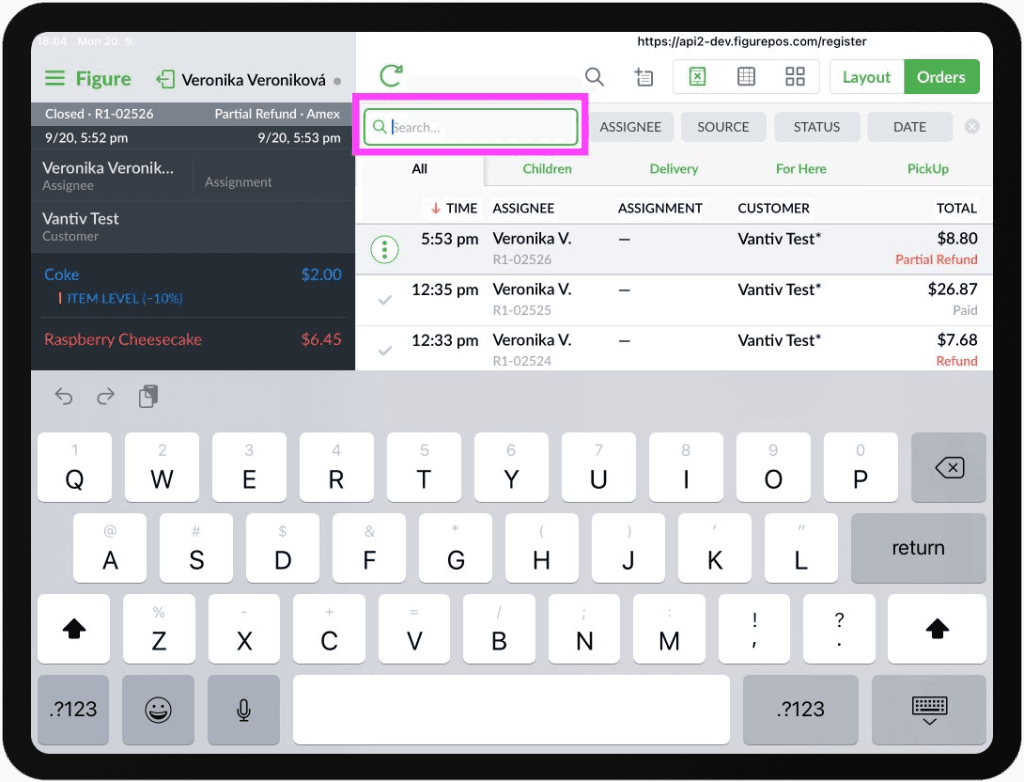
[3] Double tap the order to open the order detail.
[4] Hit the REFUND button at the bottom.
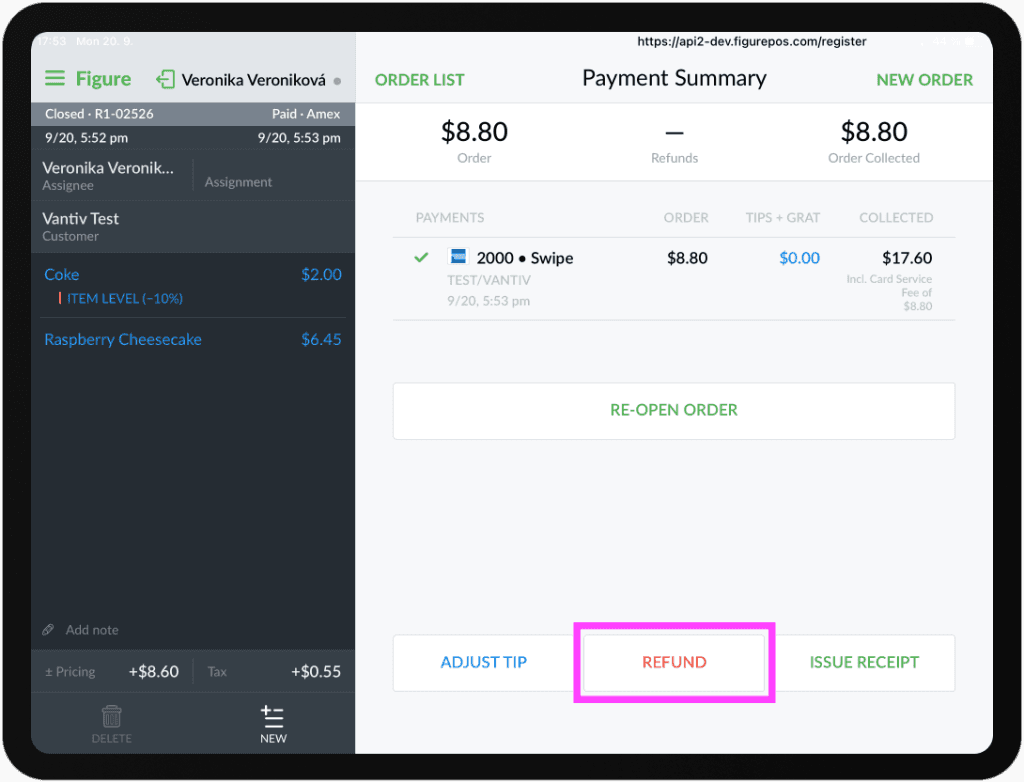
[5] Then, you can either do the FULL REFUND, REFUND ITEM (you can choose which particular items will be refunded), or you can choose a custom amount which will be refunded.
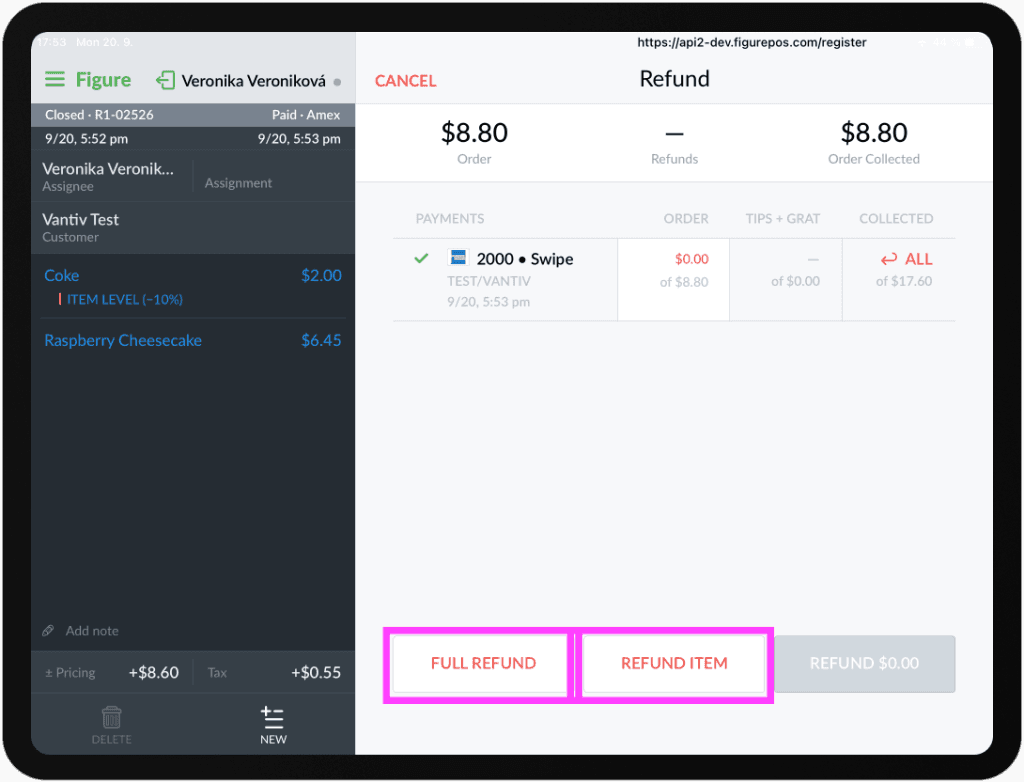
FULL REFUND / ITEM REFUND
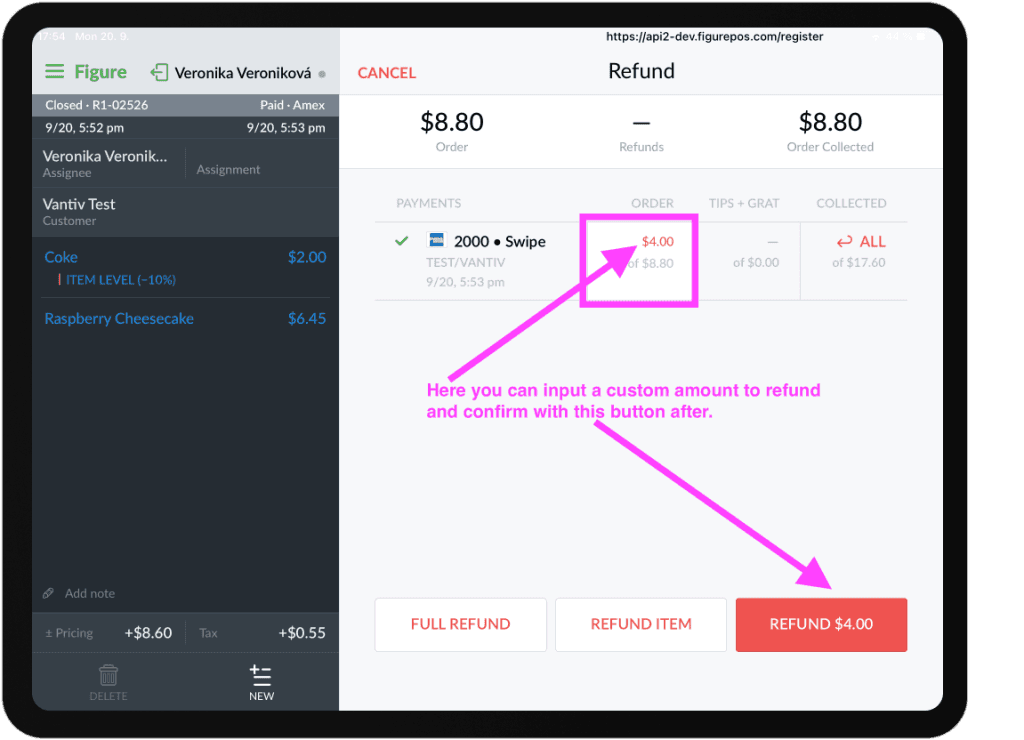
CUSTOM AMOUNT
[6] Confirm the refund.
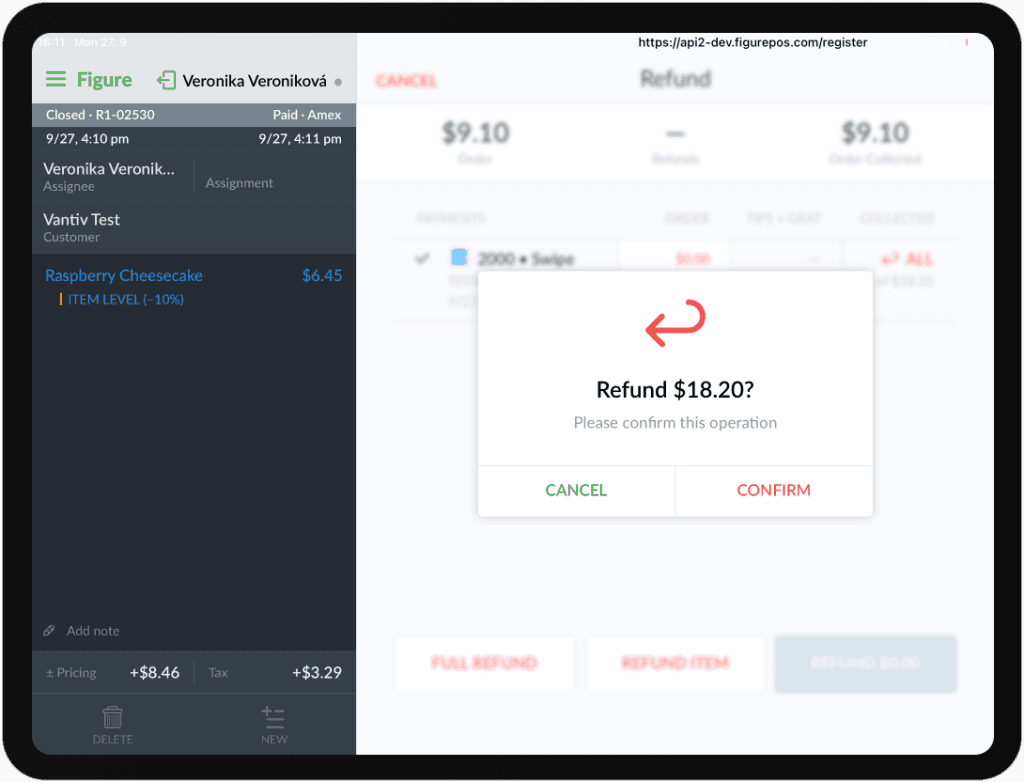
See this short video on how to do the full refund on POS:
The money will be refunded and the refund receipt will be printed – except when using a Dejavoo device. If you are using a Dejavoo device, please complete the process by taking the steps below:
Processing and Finalizing Refunds on a Dejavoo Device
When processing a refund using a Dejavoo terminal,after completing the General Refund Process (steps above), follow these steps:
[1] Initiate the Refund from the POS
[2] Start the refund in your POS. The POS will communicate the refund request to the Dejavoo terminal.
[3] Complete the Refund on the Dejavoo Device
[4] On the Dejavoo terminal, complete the refund in one of the following ways:
Card Present: Tap or insert the chip of the original payment card to complete the refund.
Card Not Present: Press the green button on the terminal and manually enter the required card information when prompted:
Full card number
Expiration date
CVV code
Important: For card‑not‑present refunds, you must have the full card number. You can contact the customer to get the full card details over the phone. The customer does not need to be in the store if you collect the required card information remotely.
FAQ
Can refunds be processed through Figure Manage (the backend / the website)?
No. Refunds can only be processed through Figure POS, or directly through the payment processor if there are issues with the standard refund process.
Can tips be refunded?
Tips cannot be refunded directly. However, you can issue a partial refund for the transaction by refunding an amount equal to the tip.