Enhance your kitchen operations by enabling the feature to instantly relay voided items or tickets from the POS to the kitchen display system and printer. This seamless communication bridges the gap between front-of-house and back-of-house operations.
How to enable / disable the Void Receipt
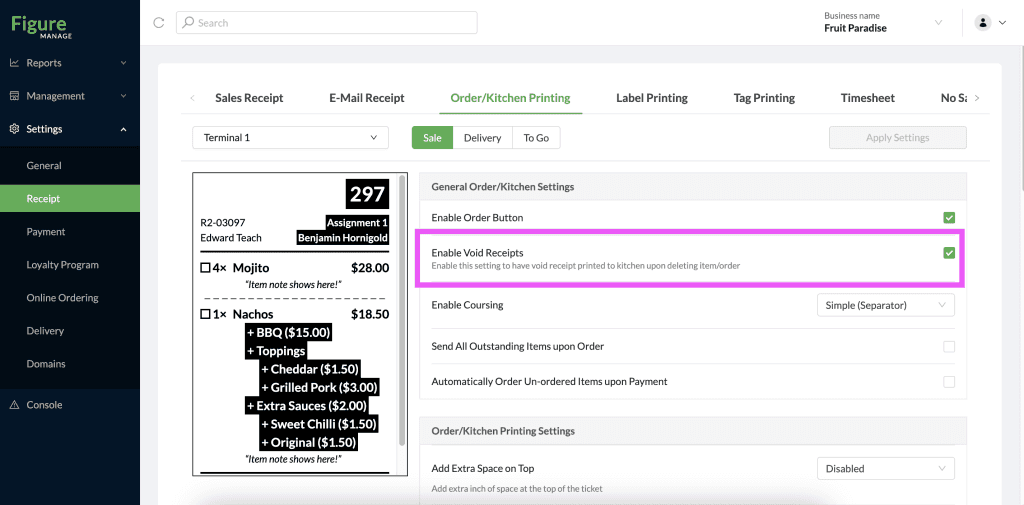
Sending the Void Receipt to the Kitchen Printer and KDS is automatically enabled. It can be disabled when needed by following the steps below.
[1] Go to Figure Manage > Receipt > Order/Kitchen Printing
[2] There, find the setting 'Enable Void Receipts' – enable or disable as needed
[3] Hit Apply Settings
Then, when an item is voided from the order, the void receipt will be printed on the physical printer or displayed in KDS as below:
