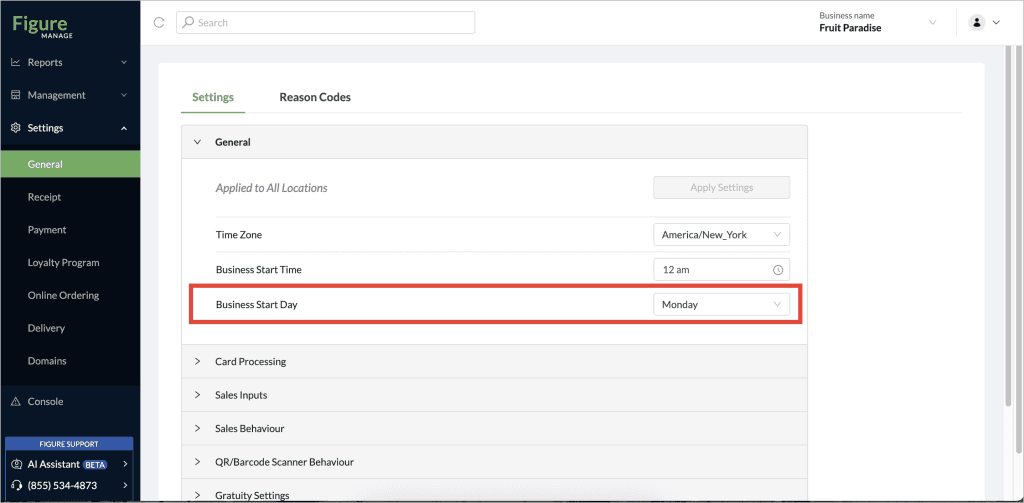
This article explains how you can customize the start day of the business week within Figure Manage. This feature ensures that all date pickers within your reports reflect your actual business week, providing a more accurate and intuitive reporting experience.
Why Set Your Business Start Day?
By default, our system assumes Monday is the start of your business week. However, many businesses operate on a different schedule. Setting your preferred business start day allows you to:
Align Reports with Your Operations: See your financial and operational data segmented according to your business week, making analysis more straightforward.
Improve Data Clarity: Eliminate confusion caused by reports not matching your internal week definitions.
Enhance User Experience: Navigate and select dates in reports with greater ease and accuracy.
How to Change Your Business Start Day
Follow these simple steps to configure your business start day:
[1] Go to Figure Manage > Settings > General
[2] There, under Settings, go to General section
[3] Find the Business Start Day and select your preferred day as the start of the week
[4] Click Apply Settings