Do you need to transfer one or more items from one order / table to another? No problem! Just follow the steps below or check the screen recording:
[1] Open the order you want to move an item from
[2] Tap on the item
[3] Click TRANSFER at the top
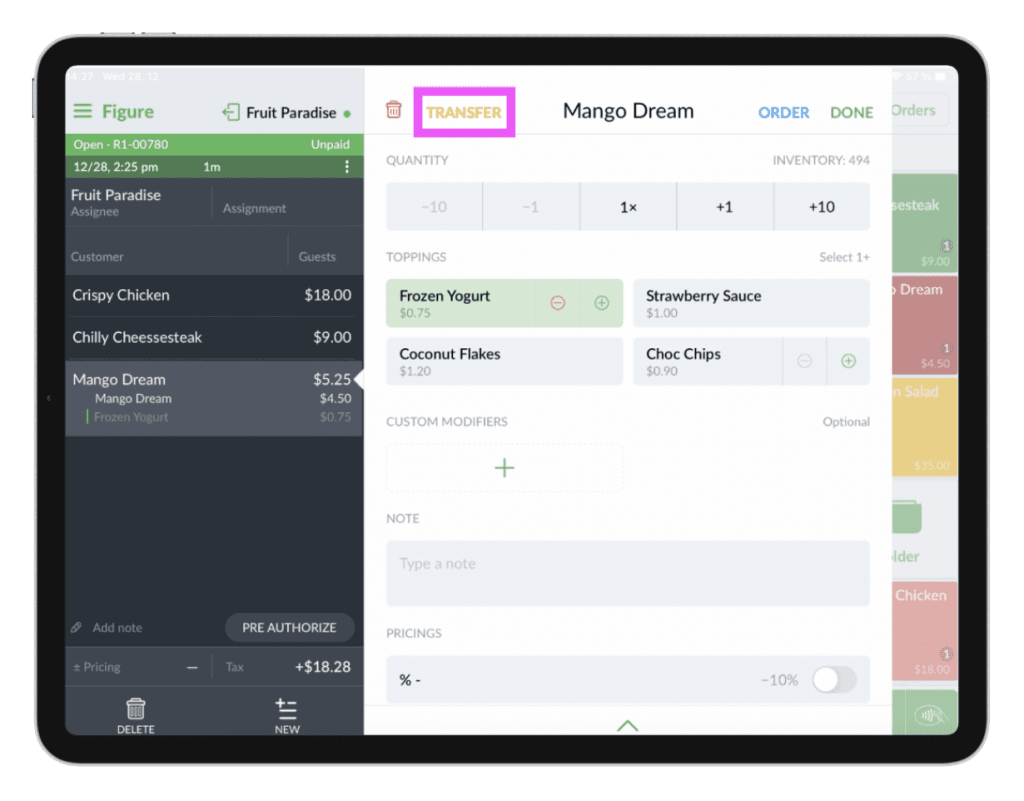
[4] Choose an order you want to transfer the item to
[5] Press TRANSFER and confirm by pressing TRANSFER again
Done! The item has been transferred to another order and that order gets open.