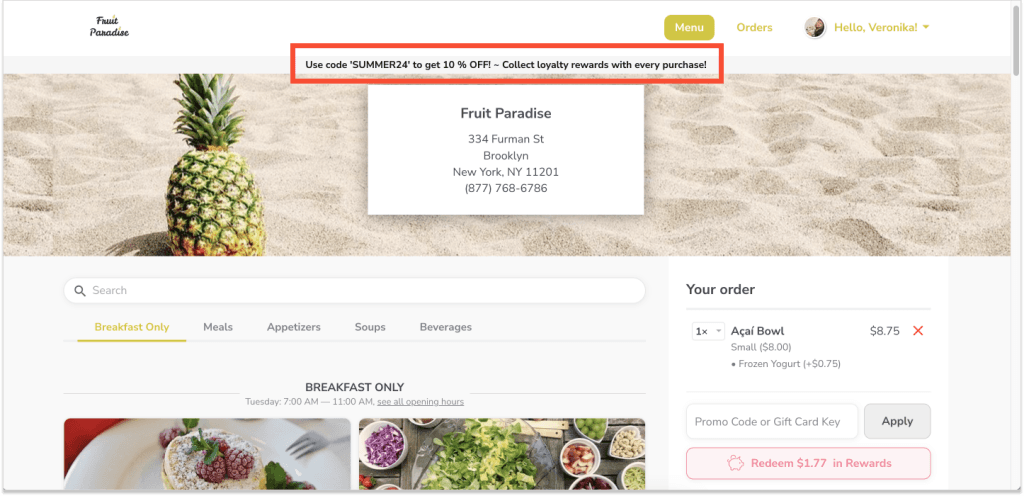
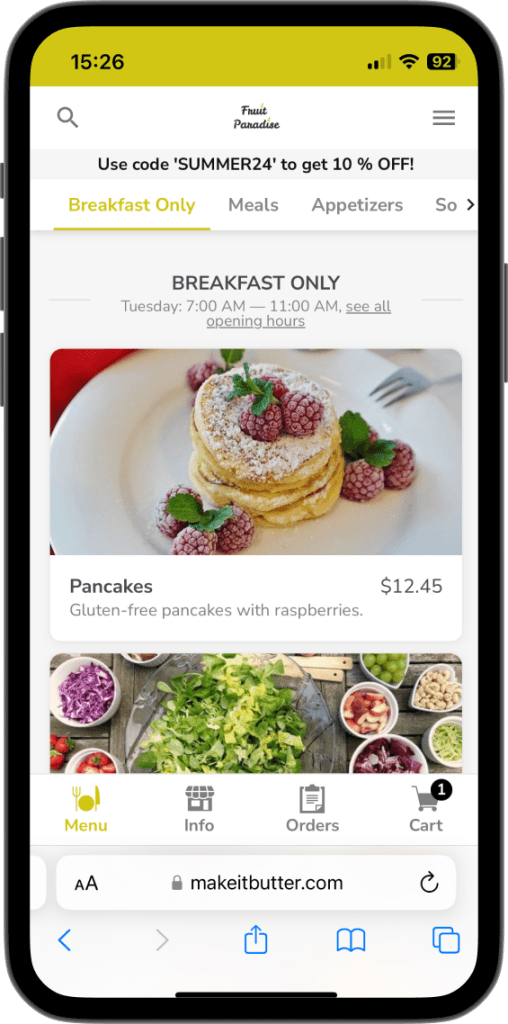
Display any important information (such as promo codes, changes in opening hours,...) on the top of your online ordering website.
[1] Log into Figure Manage website with your credentials and go to Settings > Online Ordering.
[2] Scroll down and find a row with 'Banner Messaging'. Mark the checkbox and enter your message.
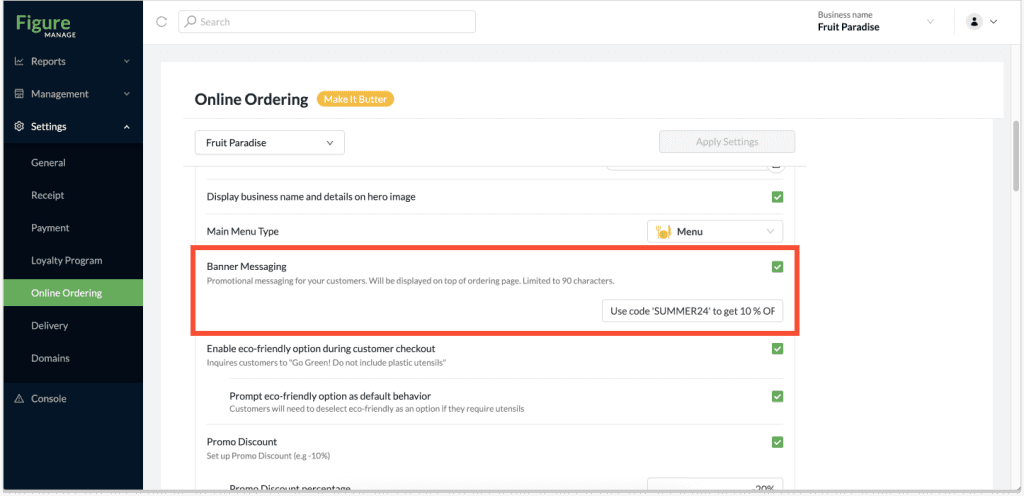
[3] Click Apply Settings
Examples:
Desktop:
Mobile:
Tips:
Use Banner to let your customers know they can use a promo code or that you provide free delivery for orders above a certain amount.