Create a promotional discount for your Make It Butter website. You can share the discount code with your customers in several ways—one option is to use the banner message on Make It Butter
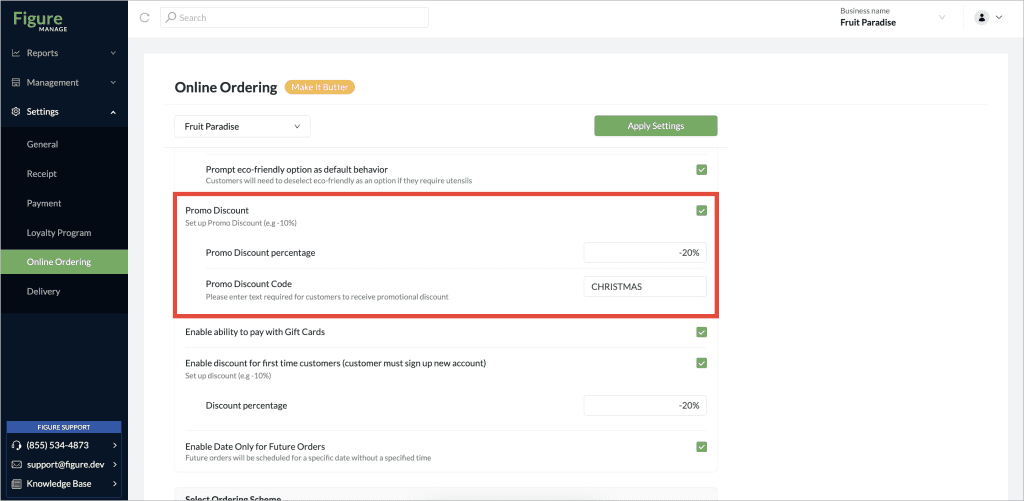
[1] Log into Figure Manage website with your credentials and go to Settings > Online Ordering.
[2] Enable the Promo Discount setting. The detailed settings will show up.
[3] Set the percentage and code
[4] Click Apply Settings
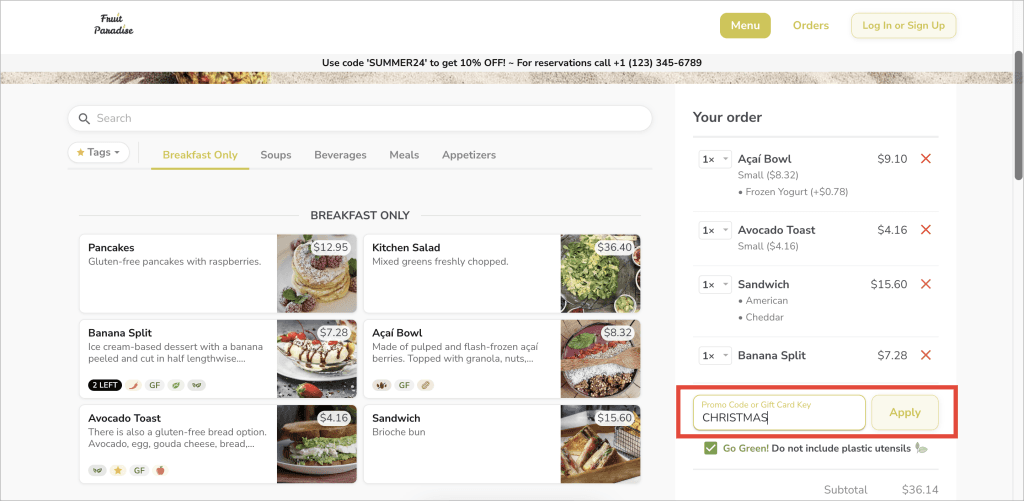
Now, customers are be able to apply the promo code on your online ordering website.
Tips:
Use a Banner to let your customers know about an active Promo Discount.