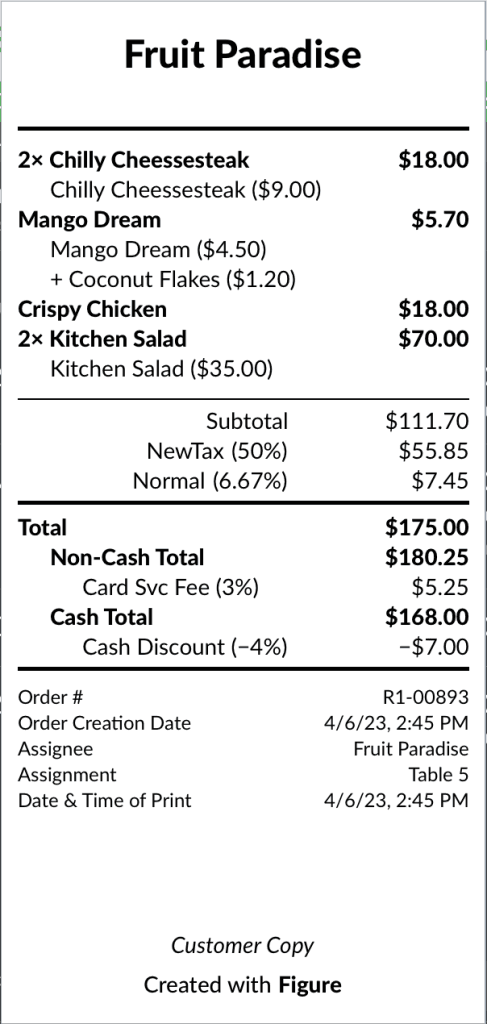
From Figure, you can print out multiple type of receipts. In this article, we will look into Checks.
How to print a check for the whole order
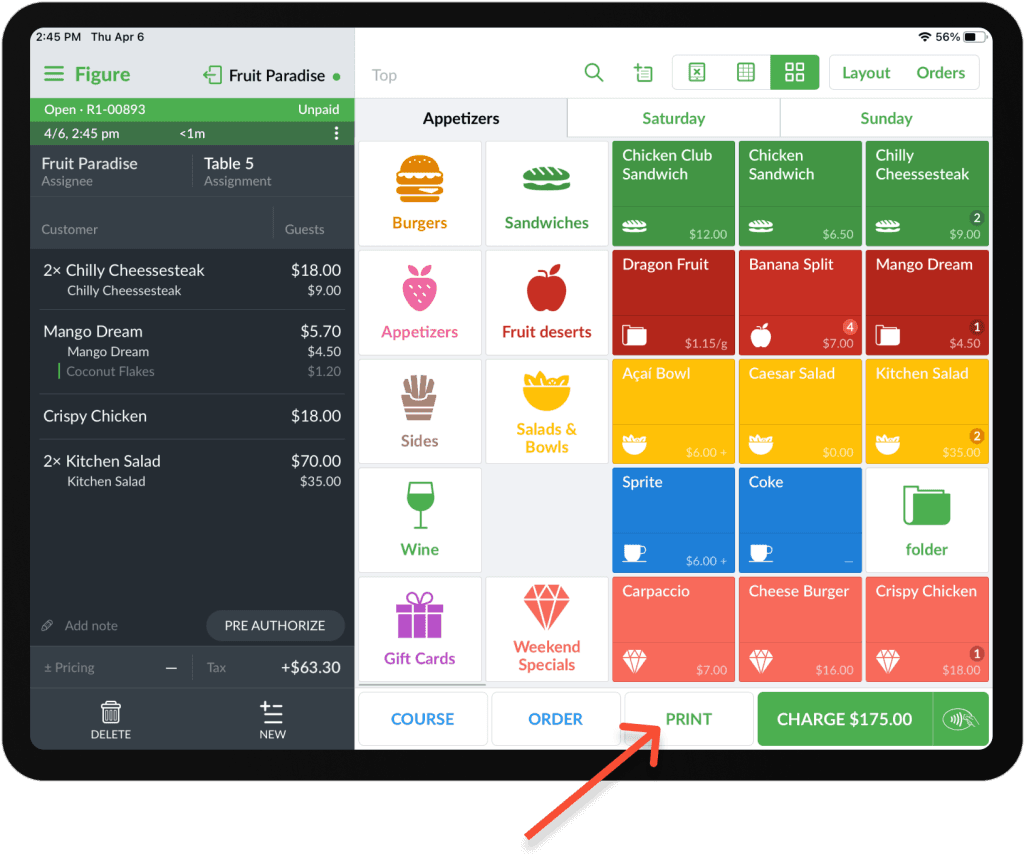
To print the check for the whole order, hit the PRINT button at the bottom.
How to print checks for split payments
When customers want to split their check, you can split the order (see how to do Split Payments) and print the check for each split.
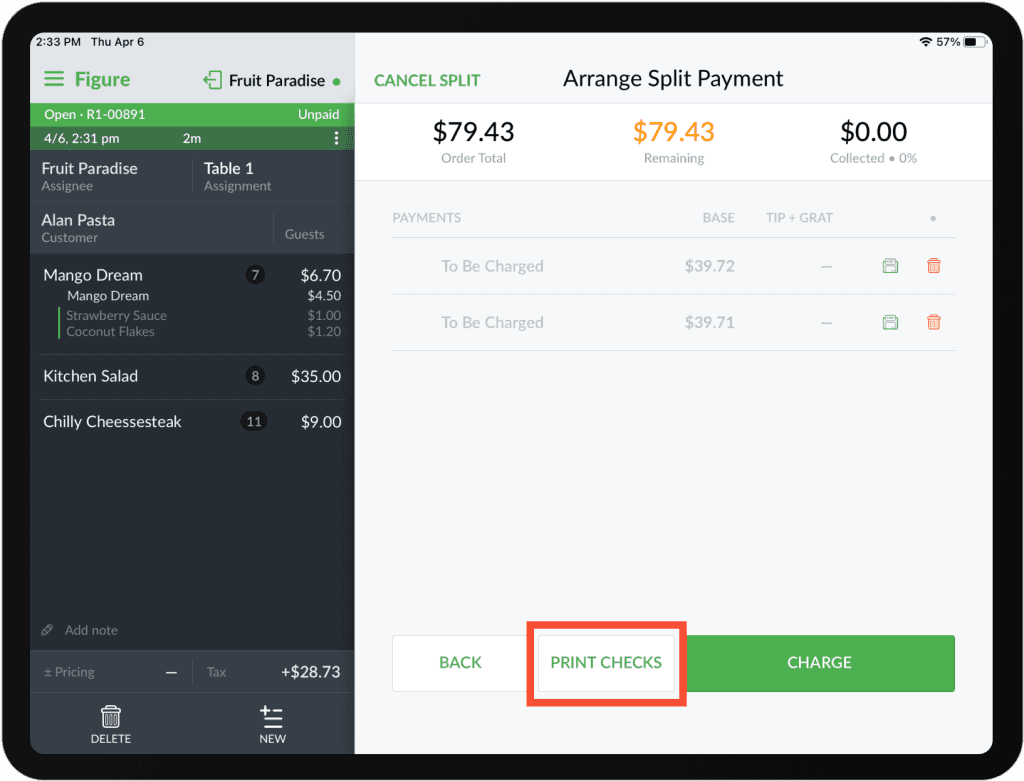
You can either print all checks at once by using the PRINT CHECKS button at the bottom.
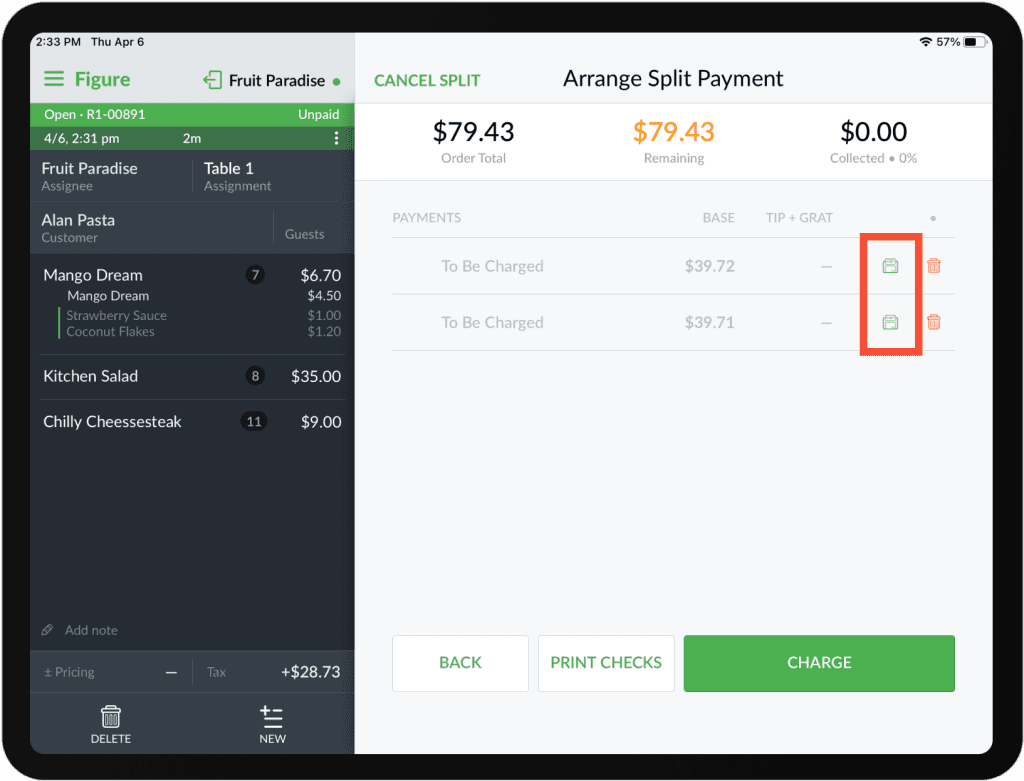
Or you can print individual checks as well:
A visual cue for when the check is printed
When a check is printed, a check icon appears at the table in the Layout view and will remain there until the order is finalized.
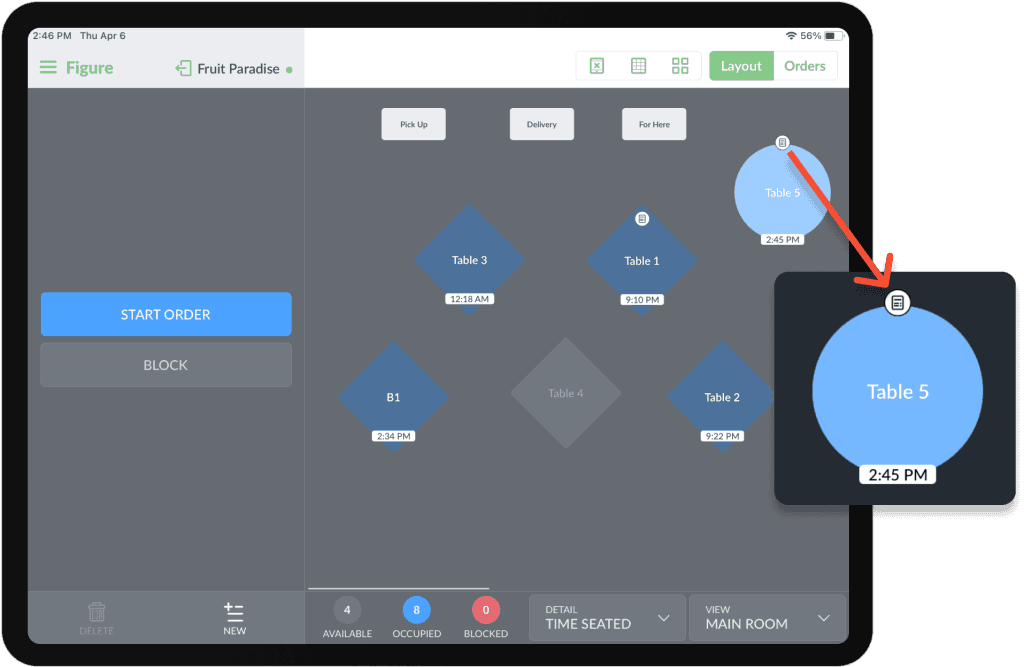
Example of a check