First of all, ensure your Figure app is on the latest version. If not, download and install the latest version. See a step by step manual on how to update your POS.
[1] Ensure the connection between the buzzer and kitchen printer are securely plugged in.
[2] Verify the cash drawer is not locked.
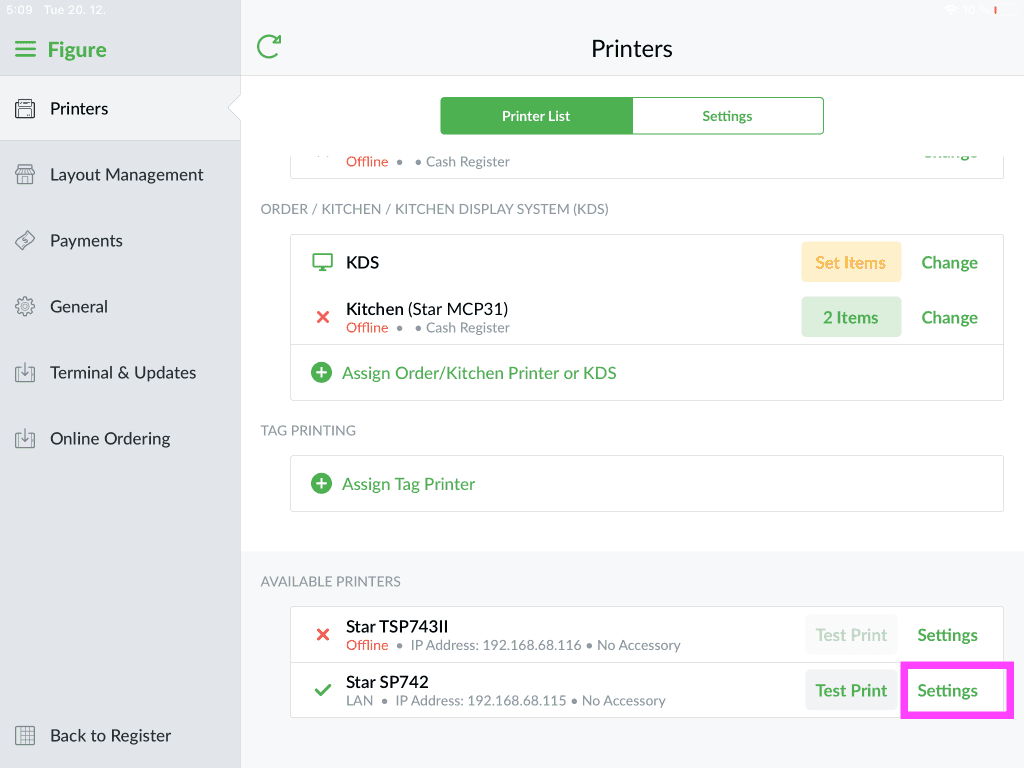
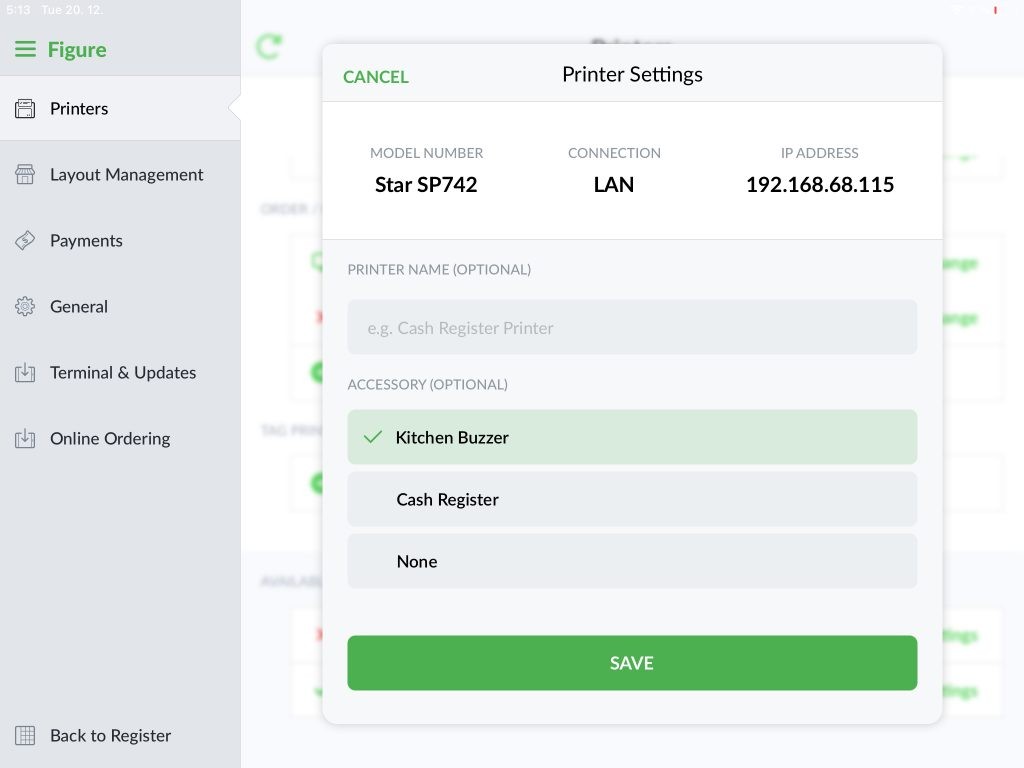
[3] Verify that your kitchen buzzer is enabled in the Figure app settings
[4] In the Figure app go to Settings > Printers > Click the Settings button next your assigned printer > Click Kitchen Buzzer > Save