Introduction to Shift Review
Shift review is an optional end-of-day reconciliation process completed by employees before ending their shift and clocking out. Completing shift review includes closing all open/unpaid checks, declaring cash tips, reconciling cash payments and tips (if applicable), and clocking out.
Shift Review is now available only for employees with Virtual Till or managers that have the Manage Shift Reviews permission enabled.
Virtual Till is a till that is tied to individual employees, instead of to a cash drawer or POS. All cash transactions that an employee processes will be logged in the virtual till.
How to enable Shift Review: Virtual Till
To grant access to Shift Review for employees, follow the steps below:
[1] Go to Figure Manage > Employees > Roles & Access (learn more about Employees in this article)
[2] Open the details of a Role that you want to allow access to Shift Review
[3] Enable appropriate permissions:
Operations = confirm the Operations section is enabled to access the Shift Review agenda on the POS
Manage Shift Reviews = this is recommended for managers; this will allow the manager to perform shift reviews for other employees
Virtual Till = this will grant employees access to Virtual Till and the Shift Review agenda on POS
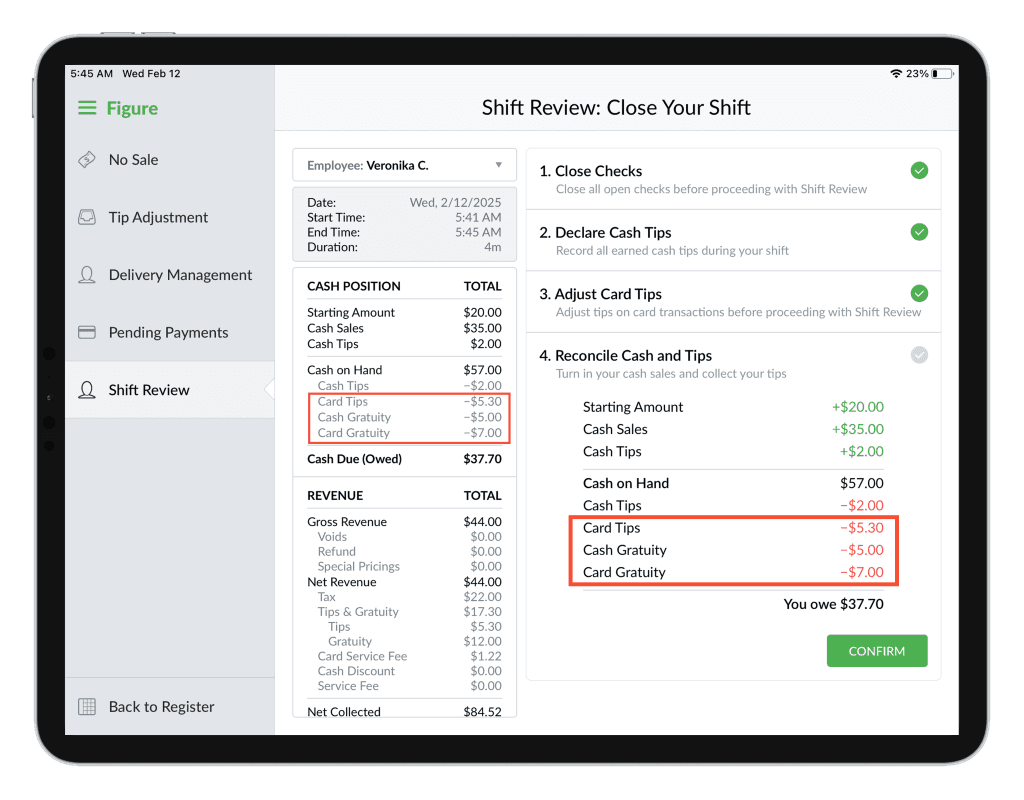
Card Tips Paid in Cash = enable this if the card tips are paid out in cash to the employee at the end of their shift; card tips amount will be deducted from the Cash On Hand amount when processing the Shift Review
Cash Gratuity Paid in Cash = enable this if the gratuity received in cash is paid out in cash to the employee at the end of their shift; cash gratuity amount will be deducted from the Cash On Hand amount when processing the Shift Review
Card Gratuity Paid in Cash = enable this if the gratuity received paid by card is paid out in cash to the employee at the end of their shift; card gratuity amount will be deducted from the Cash On Hand amount when processing the Shift Review
When Card Tips Paid in Cash, Cash Gratuity Paid in Cash and Card Gratuity Paid in Cash is enabled, this is how it affects the Cash on Hand and Cash Due (Owed) in the Shift Review:
How to utilize Virtual Till
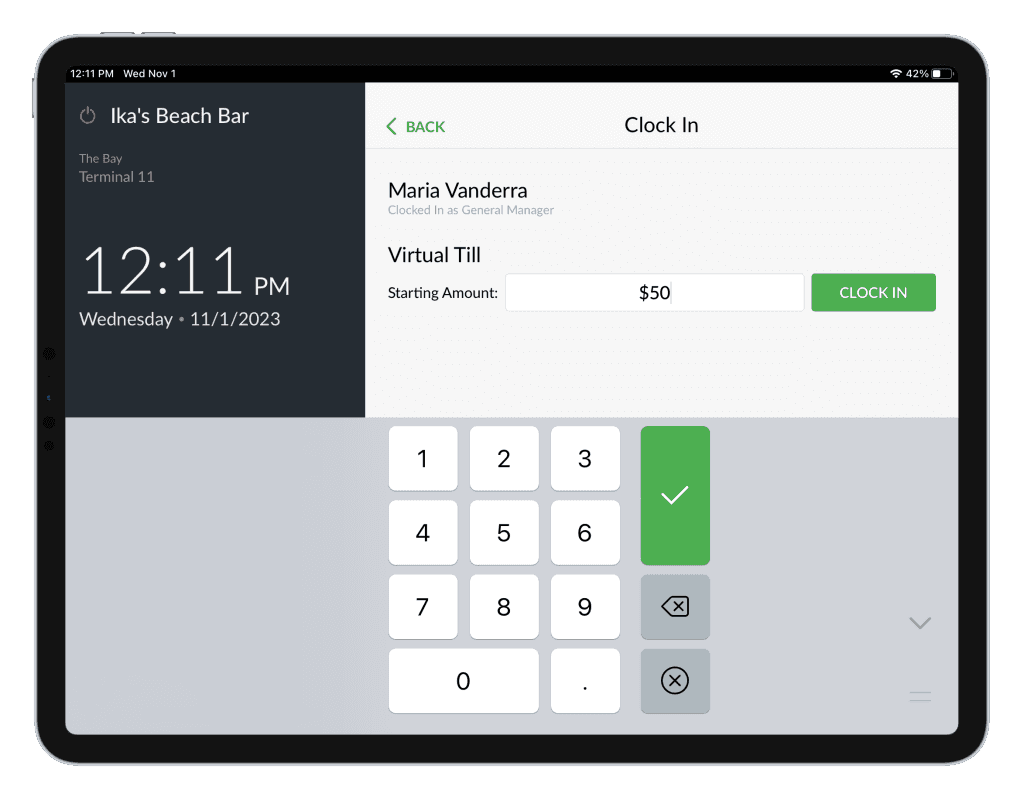
When the Virtual Till is enabled for employees, they will have to input a starting amount of the Virtual Till when clocking in.
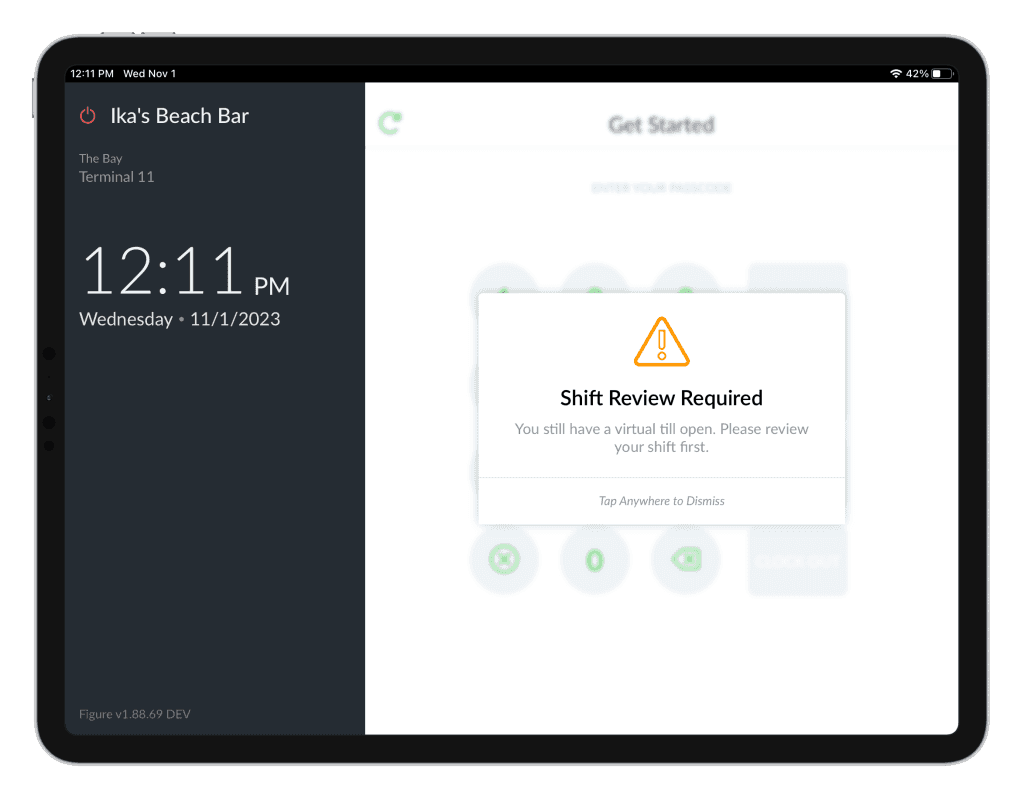
Then, before clocking out, they will be forced to perform the shift review first.
How to perform a Shift Review
Go to POS > Menu > Operations > Shift Review
There, you will see steps to take in order to close the shift.
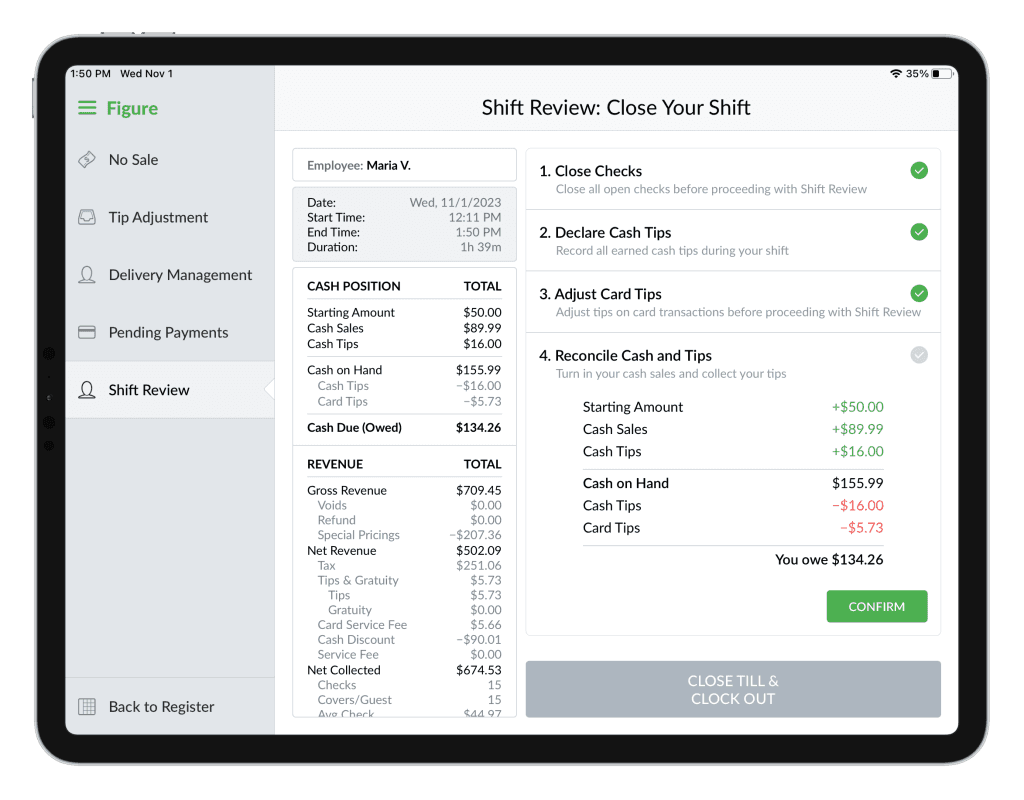
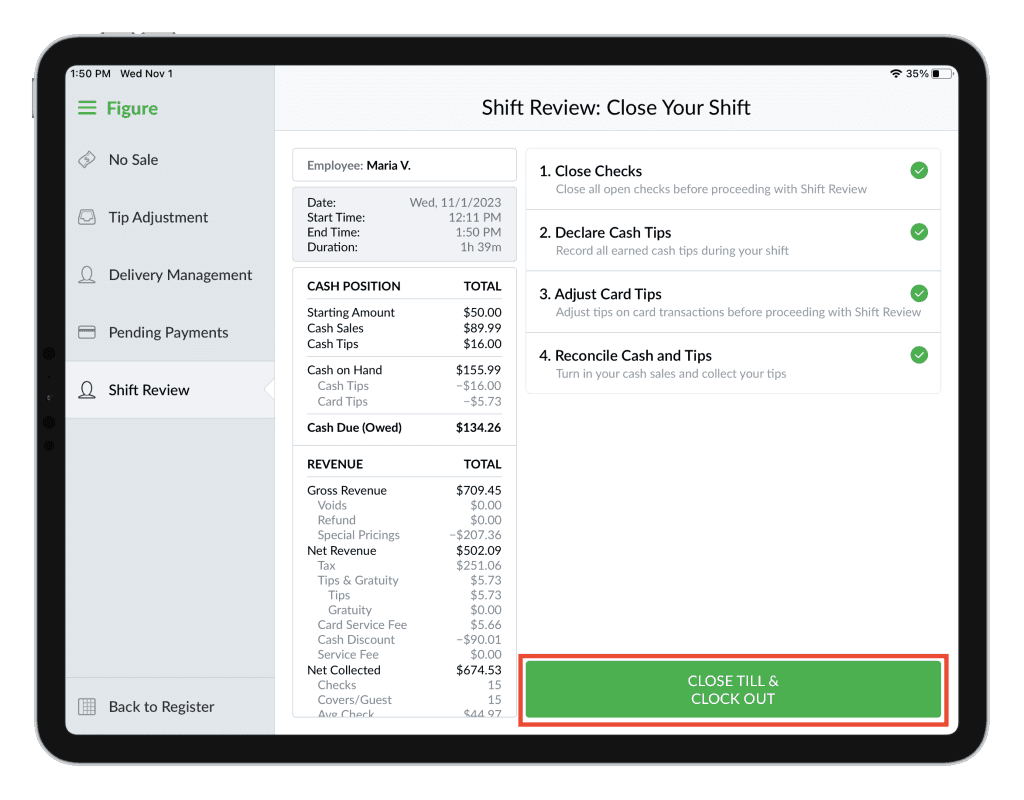
The receipt on the left side is being dynamically recalculated based on the inputted values during the steps.

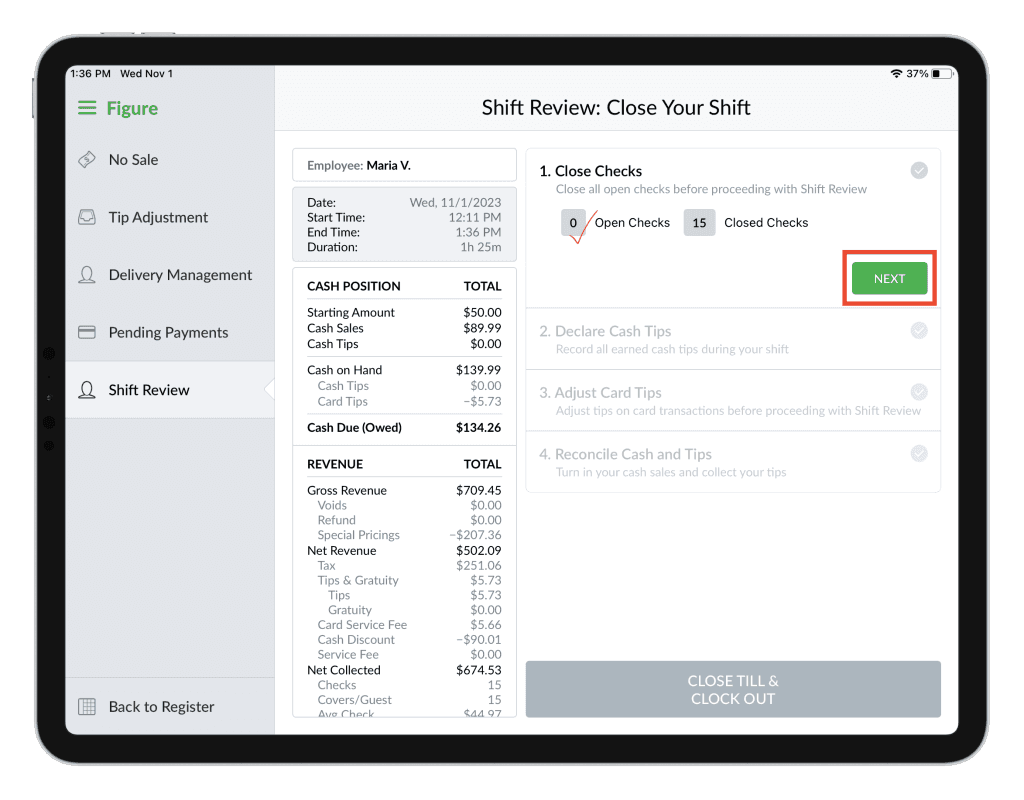
Step 1: Close Checks
You can see how many Open / Closed checks there are created during that shift. By clicking the VIEW OPEN CHECKS button, you will be redirected to the order list with the open orders in order to finalize them.
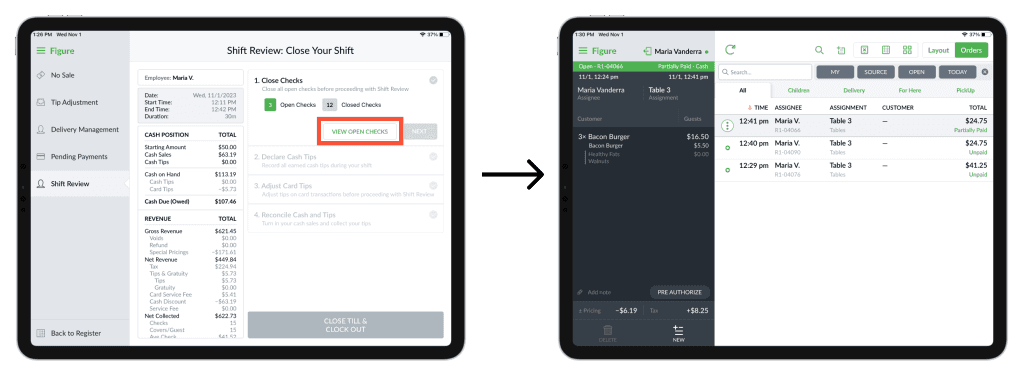
It is possible to proceed to the next step after this one is completed = all checks are closed.
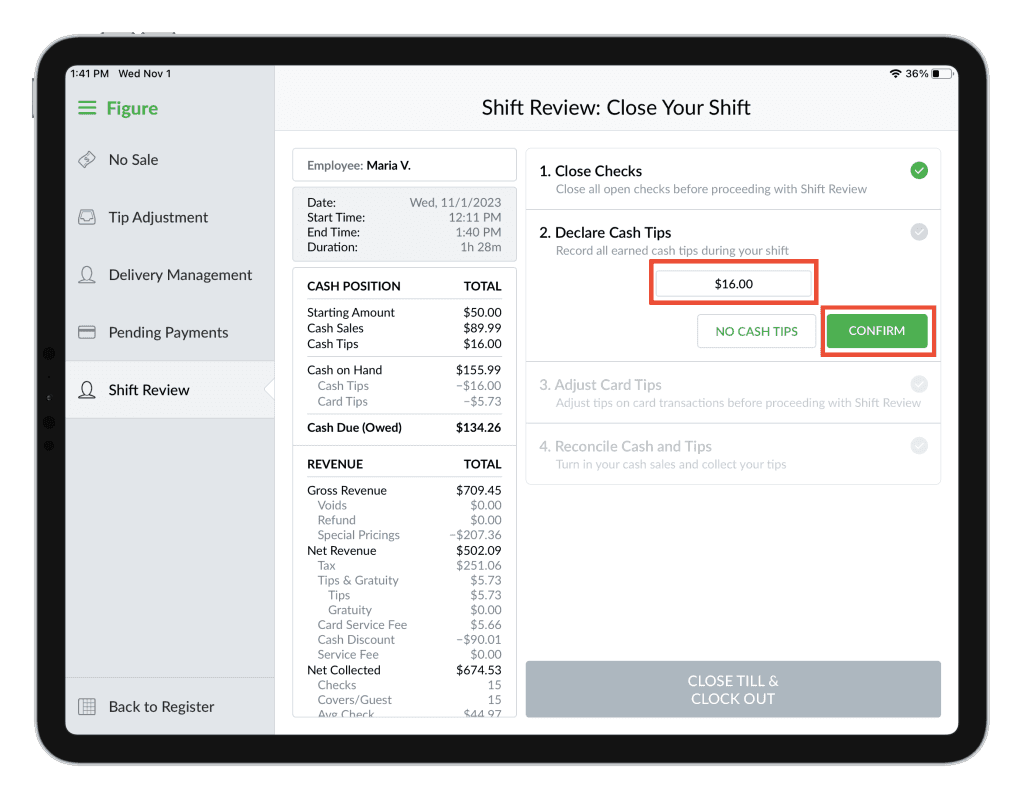
Step 2: Declare Cash Tips
To record all earned cash tips during the shift. Press NO CASH TIPS if there were none received or add the cash tips and press CONFIRM.
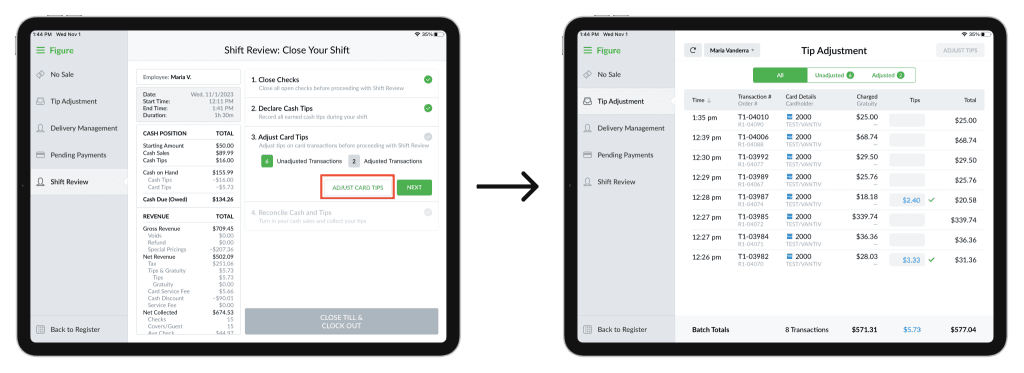
Step 3: Adjust Card Tips
If there are any card transactions without a tip, you can use the button ADJUST CARD TIPS which will redirect you to the Tip Adjustment screen. Learn more about tip adjustment in this article.
Adjust the tips or confirm that all orders have the tips already adjusted by pressing NEXT.
Step 4: Reconcile Cash and Tips
Step 5: Close Till & Clock Out
After all the previous steps are completed, press the CLOSE TILL & CLOCK OUT button.
The till will be closed, employee will be clocked out and the receipt with the shift review will be printed, along with the clock-out receipt.
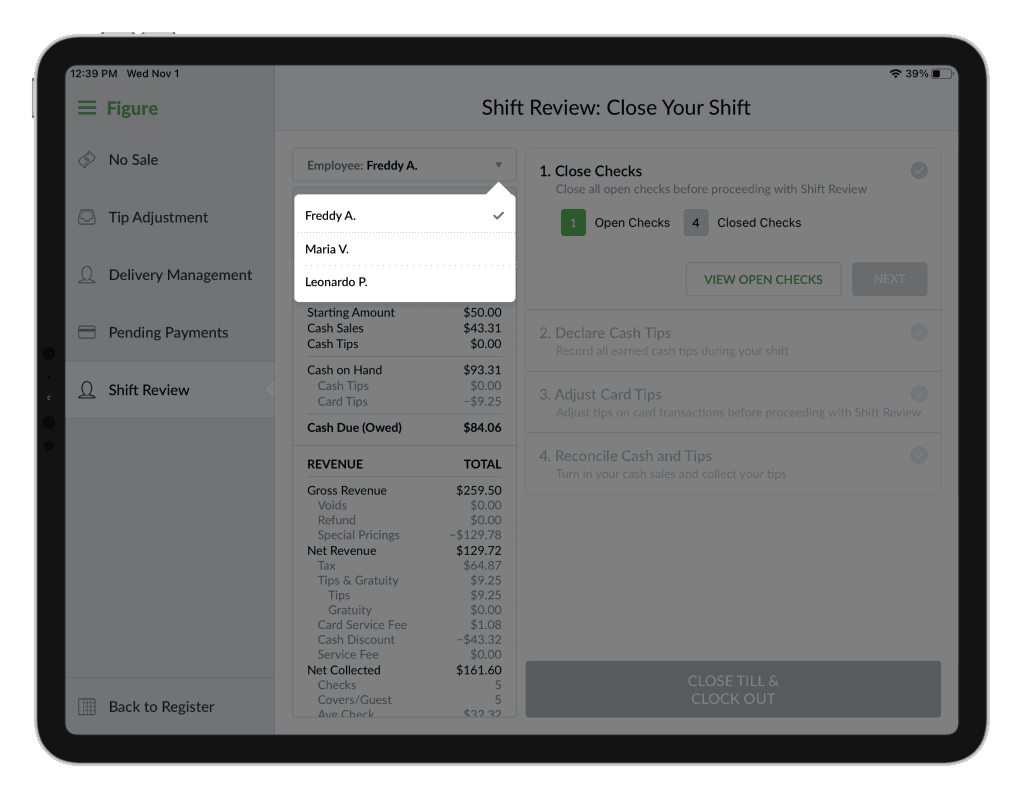
Manager's view of the Shift Review
Managers or employees who have the Manage Shift Reviews permission enabled, can see and perform shift reviews for other employees. The manager can select an employee they want to view the shift review for.
View Historical Shift Reviews
You can now view past Shift Reviews – including shifts that have already been closed.
To access them, simply select a date range using the date picker in the top-right corner.

If multiple Shift Reviews were processed during the selected period, you can choose a specific shift to view.
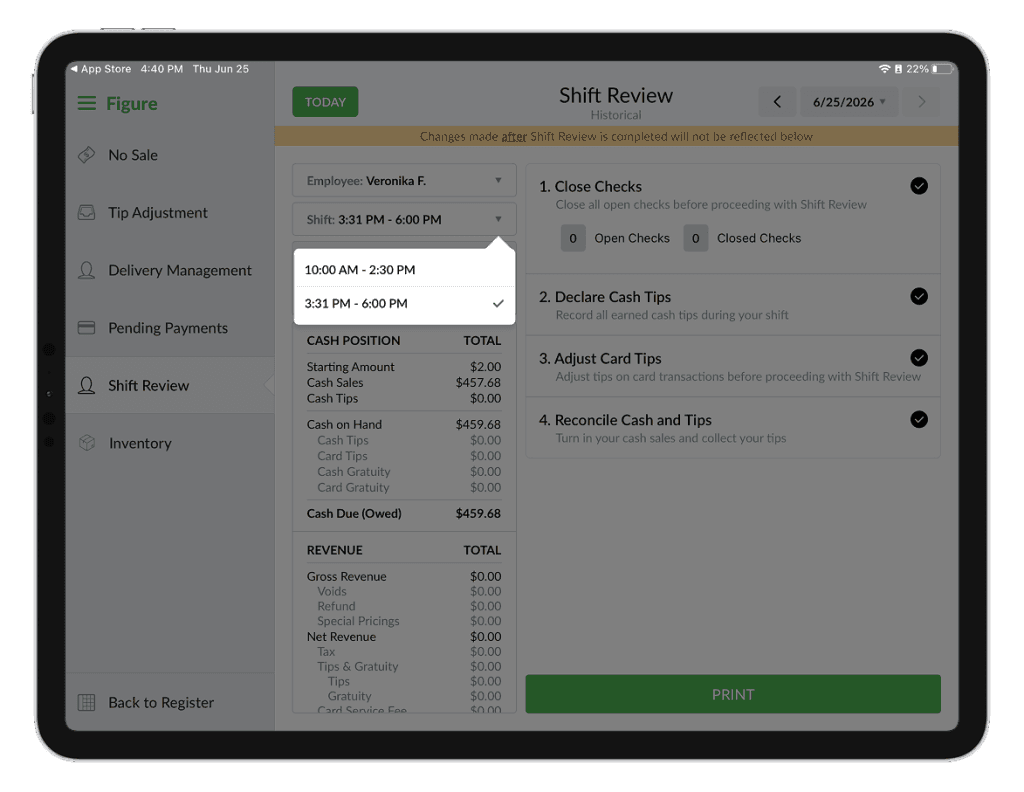
Please note that any changes made to transactions after a Shift Review was processed will not be reflected in the historical Shift Review. The displayed review represents the exact financial state of the Shift Review at the time it was processed.