Item Voids of already ordered (sent to the kitchen) items can be performed or confirmed by a user who has a permission to perform voids – see this article about permissions.
To void an item:
Swipe left over the item. A VOID button will show. Press the button
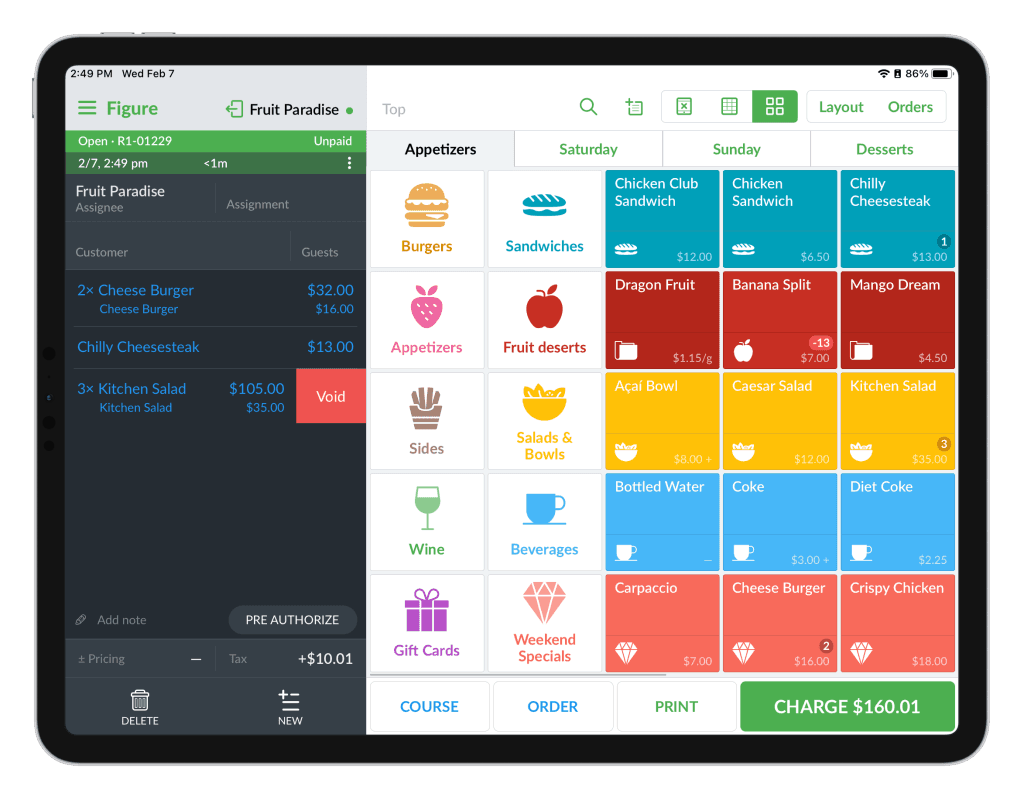
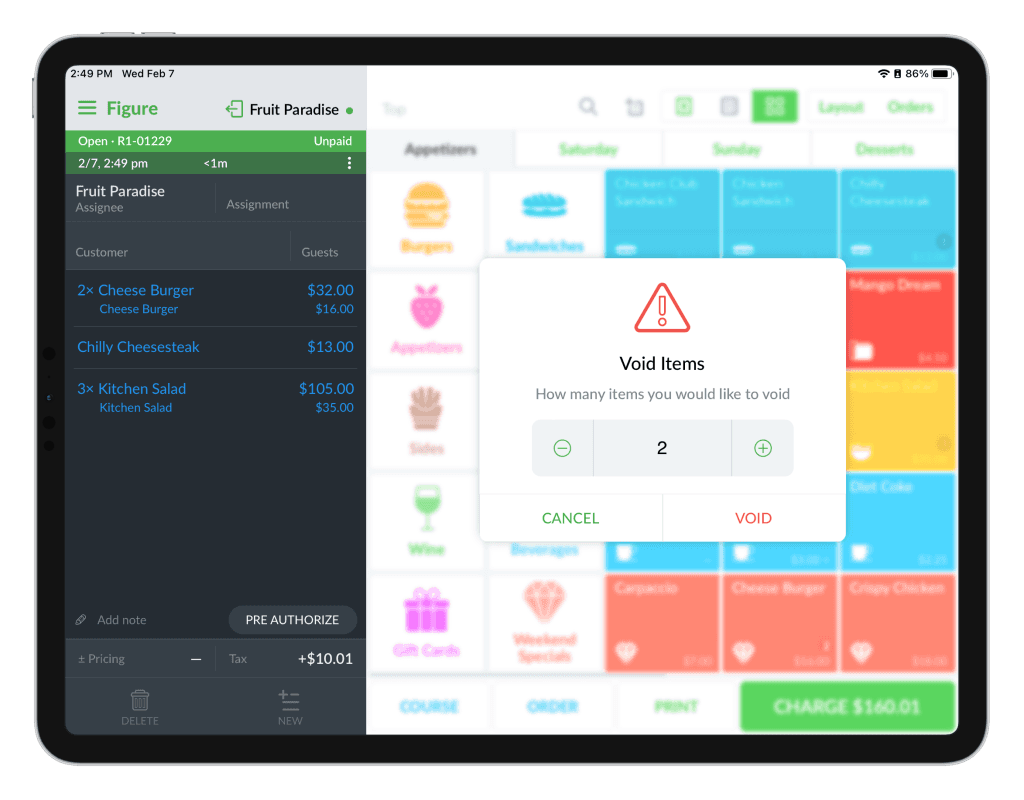
If the item is a multi-quantity item, you will be able to choose what quantity should be removed from the order. Choose the quantity and press VOID. The items will be removed.
Tip:
Enhance your kitchen operations by enabling the feature to instantly relay voided items or tickets from the POS to the kitchen display system and printer. See how in this article.